
Key facts
Start here
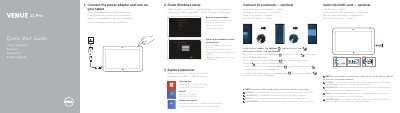
Dell Venue 5130 Quick Start Guide
This guide helps you set up your Dell Venue 5130 tablet. Connect the power adapter and turn on the device. Connect to a network if needed, and sign in or create a Microsoft account. Explore resources and access support via dell.com/support.
The tablet features a front and rear camera, microphones, speakers, USB 3.0, mini-HDMI, and a stylus (optional). It includes a Noble security lock slot, memory card reader, and programmable buttons for customization.
Dell Venue 5130 specifications
| Model | Venue 5130 |
|---|---|
| Regulatory Model | T06G |
| Input Voltage | 100 V AC–240 V AC |
| Input Current | 1.00 A–1.30 A |
| Output Voltage | 19.5 V DC |
| Output Current | 1.2 A / 1.54 A |
All Dell Venue 5130 documents by type
The shortest path to a working setup, usually only a few pages.
Questions answered in these manuals
How do I connect to a network?
In the charms sidebar, tap Settings, tap the Wireless icon, select your network, and tap Connect.
Where can I find more support for my tablet?
Visit dell.com/support for product support and manuals.
How do I connect the tablet to a network?
In the charms sidebar, tap Settings, tap the Wireless icon, select your network, and tap Connect.
Where are instructions for installing a micro-SIM card?
Refer to the Owner’s Manual on www.dell.com/support/manuals.
How do I connect the tablet to a wireless network?
In the charms sidebar, tap Settings, tap the Wireless icon, select your network, and tap Connect.
Is inserting a microSD card optional?
Yes, inserting a microSD card is listed as an optional step.