
This guide describes how to set up and use your Windows tablet.
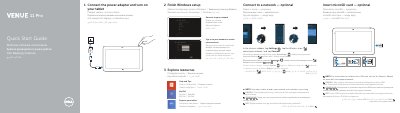
This Dell Venue 5130 Quick Start Guide explains how to finish Windows setup, connect the power adapter, turn on the tablet, and optionally connect to a wireless network using the charms sidebar.
It also describes optional microSD card installation, product features such as cameras, speakers, USB 3.0 and micro USB connectors, and provides Dell support and regulatory information for model T06G.
| Security lock slot | Noble security lock slot |
|---|---|
| USB connector | USB 3.0 connector |
| HDMI connector | mini HDMI connector |
| Power connector | micro USB power connector |
| Memory card reader | memory card reader |
| Ambient light sensor | Ambient Light Sensor |
In the charms sidebar, tap Settings, tap the Wireless icon, select your network, and tap Connect.
Yes, inserting a microSD card is listed as an optional step.
Refer to the Owner’s Manual on www.dell.com/support/manuals for instructions to install a micro-SIM card.