
Dell Inspiron 14-3452 Laptop Quick Start Guide

Inspiron 14-3452 Laptop Quick Start Guide
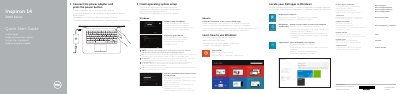

Dell Inspiron 14-3452 Laptop Quick Start Guide - cover page
Brand
DELL
Category
Laptops
Document type
Quick Start Guide
Language
English
Pages
2
File format
PDF
File size
786 KB
Published
19 November, 2023
Updated
19 November, 2023
MD5 checksum
04D10E46A46CD458EE01F839667B655C

About this manual

This quick start guide helps set up the Dell Inspiron 14-3452 laptop, including connecting the power adapter, finishing operating system setup, enabling security and updates, connecting to a network, and signing in.

It also identifies the laptop's features and shortcut keys and points to Dell support, registration, and backup and recovery resources.

What's inside

  • Connect the power adapter and press the power button
  • Finish operating system setup
  • Enable security and updates
  • Connect to your network
  • Sign in to your Microsoft account or create a local account
  • Product support and manuals
  • Register your computer
  • Dell Backup and Recovery
  • Features
  • Shortcut keys

Specifications

USB 3.0 port1
USB 2.0 ports2
Hard-drive activity lightDoes not work on computers with eMMC

Frequently asked questions

What should I do first to start the computer?

Connect the power adapter and press the power button.

Does the hard-drive activity light work on computers with eMMC?

No, the hard-drive activity light does not work on computers with eMMC.

Where can I find more information about specifications?

See Specifications at dell.com/support.

How do I finish operating system setup?

Follow the instructions on the screen to finish setup.

Download PDF (786 KB)

More DELL Manuals


View all DELL manuals →