
Key facts
Start here
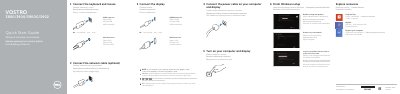
Dell Vostro 3800/3900/3900G/3902 Quick Start Guide
Quick Start Guide 2 pages · 293 KB · EN
This document serves as a multilingual Quick Start Guide for the Dell Vostro 3800, 3900, 3900G, and 3902 desktop computers. It provides step-by-step instructions in English, Polish, Russian, and Turkish for connecting peripherals such as keyboards, mice, network cables, and displays. The guide also details the initial Windows setup process, including enabling security updates and connecting to a network.
Read onlineAll Dell 3900G documents by type
Quick Start Guide 2
The shortest path to a working setup, usually only a few pages.
Questions answered in these manuals
What is the first setup step?
Connect the keyboard and mouse.
What should I do if the computer was ordered with a discrete graphics card?
Connect the display to the discrete graphics card.
Where should the display be connected if the computer has a discrete graphics card?
Connect the display to the discrete graphics card.
What support and manual resources are listed?
Dell lists dell.com/support, dell.com/support/manuals, dell.com/windows8, and dell.com/contactdell.