
Key facts
Start here
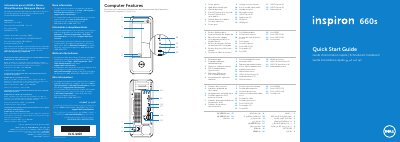
Dell Inspiron 660s Computer Quick Start Guide
This Quick Start Guide for the Dell Inspiron 660s computer provides multilingual setup instructions and feature callouts. It shows how to connect the power cable, keyboard and mouse, display, and optional network cable, then press the power button, locate the Service Tag, record the Windows password, and complete Windows setup.
The guide also lists computer features such as the power button, hard-drive activity light, optical-drive bay, front I/O panel, 8-in-1 media-card reader, headphone and microphone ports, USB 2.0 and USB 3.0 ports, audio ports, VGA and HDMI ports, and network port. A Mexican NOM section gives the importer, regulatory model D06S, type D06S001, input voltage, input frequency, and current.
Dell Inspiron 660 specifications
| Computer model | Inspiron 660s |
|---|---|
| Regulatory model | D06S |
| Type | D06S001 |
| Input voltage | 100-127 V CA/200-240 V CA |
| Input frequency | 50 Hz/60 Hz |
| Current | 6 A/3 A |
| USB 3.0 ports | 2 |
| Media-card reader | 8-in-1 |
| Audio ports | 3 |
All Dell Inspiron 660 documents by type
The shortest path to a working setup, usually only a few pages.
- Dell Inspiron 660s Computer Quick Start Guide 2 p
- Dell Inspiron 660 Quick Start Guide 2 p
- Dell Inspiron 660 Computer Quick Start Guide 2 p
- Dell Inspiron 660 Computer Quick Start Guide 2 p
- Dell Inspiron 660 Computer Quick Start Guide 2 p
- Dell Inspiron 660 Quick Start Guide 2 p
- Dell Inspiron 660 Desktop Computer Quick Start Guide 2 p
- Dell Inspiron 660s Quick Start Guide 2 p
Day-to-day operation, settings and troubleshooting. Start here if the product is already set up.
Disassembly, diagnostics and part numbers, for repair.
Questions answered in these manuals
What is the regulatory model for the Dell Inspiron 660s?
The regulatory model is D06S, with type D06S001.
What input voltage does the computer support?
It supports 100-127 V CA/200-240 V CA.
Where can I find more information about features and advanced options?
Click Start→ All Programs→ Dell Help Documentation or go to support.dell.com/manuals.
How do I contact Dell for sales or technical support?
Visit dell.com/ContactDell or call 800-WWW-DELL (800-999-3355) for customers in the United States.
What should I do if my computer has an optional discrete graphics card?
Connect the display to the connector on the discrete graphics card.
How can I contact Dell?
Go to dell.com/ContactDell for sales, technical support, or customer service.