
Key facts
- Brand
- DELL
- Model
- OptiPlex 7450 All-in-One
- Category
- All-in-One Desktops
- Documents
- 8
- Languages
- EN · MUL
- Last added
- 2023-11-25
Start here
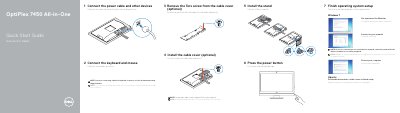
Dell OptiPlex 7450 All-in-One Quick Start Guide
This document provides the initial setup instructions for the Dell OptiPlex 7450 All-in-One computer. It covers connecting the power cable, keyboard, mouse, and network, as well as installing the optional stand and cable cover. The guide includes specific steps for both Windows and Ubuntu operating systems.
Read onlineDell OptiPlex 7450 All-in-One specifications
| Input Voltage | 100 V CA–240 V CA |
|---|---|
| Input Current | 3,0 A |
| Input Frequency | 50 Hz–60 Hz |
| Regulatory Model | W11C |
All Dell OptiPlex 7450 All-in-One documents by type
The shortest path to a working setup, usually only a few pages.
- Dell OptiPlex 7450 All-in-One Quick Start Guide 2 p
- Dell OptiPlex 7450 All-in-One Quick Start Guide 2 p
- Dell OptiPlex 7450 All-in-One Quick Start Guide 2 p
- Dell OptiPlex 7450 All-in-One Quick Start Guide 2 p
- Dell OptiPlex 7450 All-in-One Quick Start Guide 2 p
- Dell OptiPlex 7450 All-in-One Quick Start Guide 2 p
- Dell OptiPlex 7450 All-in-One Quick Start Guide 2 p
- Dell OptiPlex 7450 All-in-One Quick Start Guide 2 p
Questions answered in these manuals
What steps are required to finish the initial setup?
You must connect the power cable and other devices, connect the keyboard and mouse, and follow the on-screen instructions to complete the operating system setup.
Is securing the cable cover with a screw required?
No, securing the cable cover by using the Torx screw is optional.
What is the model of this computer?
OptiPlex 7450 All-in-One.
What is the regulatory model for this device?
W11C.
Is securing the cable cover with the Torx screw required?
No, securing the cable cover with the Torx screw is optional.
Where can I find Dell product support and manuals?
Dell provides product support and manuals through Dell.com/support and Dell.com/support/manuals.