
Key facts
Start here
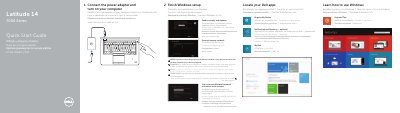
Dell Latitude 14 7000 Series (Latitude 7450/E7450) Computer Quick Start Guide
This quick start guide covers initial setup for the Dell Latitude 14 7000 Series (Latitude 7450/E7450) computer, including connecting the power adapter, finishing Windows setup, locating Dell apps, registering the device, and connecting to a network.
It also identifies the computer's external features and controls, notes optional components such as fingerprint and smart-card readers, and provides product support, contact, and regulatory information.
Dell Latitude 7450 specifications
| USB 3.0 connector with PowerShare | Listed |
|---|---|
| Contactless smart-card reader / NFC reader | Optional |
| Fingerprint reader | Optional |
| Smart card reader | Optional |
| Dock connector | Optional |
| Memory card reader | Listed |
Source: Dell Latitude 14 7000 Series (Latitude 7450/E7450) Quick Start Guide
All Dell Latitude 7450 documents by type
The shortest path to a working setup, usually only a few pages.
Questions answered in these manuals
Where can I find Dell product support and manuals?
The guide lists product support at dell.com/support and manuals at dell.com/support/manuals.
From: Dell Latitude 14 7000 Series (Latitude 7450/E7450) Computer Quick Start Guide
How do I contact Dell?
The guide directs users to dell.com/contactdell.
From: Dell Latitude 14 7000 Series (Latitude 7450/E7450) Computer Quick Start Guide
How do I start setting up the computer?
Connect the power adapter and turn on the computer.
From: Dell Latitude 14 7000 Series (Latitude 7450/E7450) Quick Start Guide
Is the fingerprint reader included on every unit?
No, the fingerprint reader is optional.
From: Dell Latitude 14 7000 Series (Latitude 7450/E7450) Quick Start Guide