
Key facts
- Brand
- DELL
- Model
- OptiPlex 3240
- Category
- All-in-One Desktops
- Documents
- 3
- Languages
- EN
- Last added
- 2023-11-22
Start here
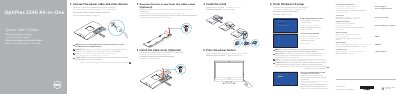
Dell OptiPlex 3240 All-in-One Quick Start Guide
This Quick Start Guide for the Dell OptiPlex 3240 All-in-One computer provides essential instructions in multiple languages to help users set up their device quickly. The document covers connecting power and peripherals, installing the stand, and completing the initial Windows 10 setup process. It also explains how to enable Dell SupportAssist and connect to a network.
Read onlineDell OptiPlex 3240 specifications
| Processor type | Intel Core i3/i5 series (6th generation) |
|---|---|
| Total cache | Up to 8 MB, depending on processor type |
| Intel chipset | Sunrise Point H110 |
| Memory type | Unbuffered non-ECC, dual-channel DDR3L 1600 |
| Memory capacity | 4 GB and 8 GB |
| Memory connectors | Two internally-accessible DDR3L SODIMM sockets |
| Minimum memory | 4 GB |
| Maximum memory | 16 GB |
| Integrated video controller | Intel HD Graphics 530 |
| Optional discrete video controller | AMD Radeon R7 A360 |
| Video memory | Shared memory for Intel HD Graphics; 2 GB DDR3 for AMD dGPU |
| Regulatory model | W14B |
All Dell OptiPlex 3240 documents by type
The shortest path to a working setup, usually only a few pages.
Day-to-day operation, settings and troubleshooting. Start here if the product is already set up.
Questions answered in these manuals
What is the regulatory model number for this device?
The regulatory model number is W14B.
How do I connect a wireless keyboard or mouse?
You must refer to the documentation that shipped with the wireless keyboard or mouse.
What should I do if I am connecting a wireless keyboard or mouse?
See the documentation that shipped with the wireless keyboard or mouse.
How do I finish Windows 8.1 setup?
Enable security and updates, connect to the network, and sign in to a Microsoft account or create a local account.
Which tools does the manual list for working inside the computer?
A small flat blade screwdriver, a Phillips screwdriver, and a small plastic scribe.
What is the maximum memory supported by the Dell OptiPlex 3240 All-In-One?
16 GB.