
Key facts
- Brand
- DELL
- Model
- OptiPlex 7440
- Category
- All-in-One Desktops
- Documents
- 6
- Languages
- EN · ZH · ES
- Last added
- 2023-11-24
Start here
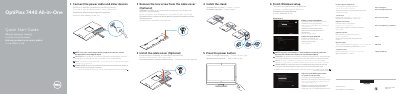
Dell OptiPlex 7440 All-in-One Quick Start Guide
This document serves as a Quick Start Guide for the Dell OptiPlex 7440 All-in-One computer. It provides multilingual instructions for connecting power cables, installing the optional cable cover and stand, and completing the initial Windows setup, including enabling security and updates. The guide also directs users to the Owner's Manual for further details on registering the computer and using Dell apps.
Read onlineDell OptiPlex 7440 specifications
| Regulatory model | W11C |
|---|---|
| Regulatory type | W11C001 |
| Computer model | OptiPlex 7440 AIO |
All Dell OptiPlex 7440 documents by type
The shortest path to a working setup, usually only a few pages.
Day-to-day operation, settings and troubleshooting. Start here if the product is already set up.
Disassembly, diagnostics and part numbers, for repair.
Questions answered in these manuals
What is the model of this computer?
The model is OptiPlex 7440.
What should you do to start the computer?
Press the power button.
What should I do if I connect a wireless keyboard or mouse?
See the documentation that shipped with it.
Where can I find the owner's manual and product support?
See the owner's manual at dell.com/support.
What is the maximum resolution of the display?
The display supports a maximum resolution of 3840 x 2160.
Where can I find more information and the Owner's Manual?
For more information, see Owner's Manual at dell.com/support.