
Key facts
Start here
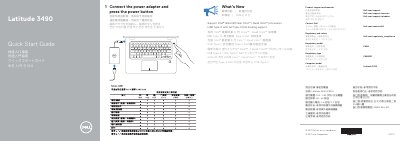
Dell Latitude 3490 Quick Start Guide
This guide helps you set up your Dell Latitude 3490 laptop. Connect the power adapter and press the power button to start. The guide lists ports, features, and safety information. It also includes regulatory details and contact info for support.
Read onlineDell Latitude 3490 specifications
| Computer Model | Latitude 3490 |
|---|---|
| Processor Support | Intel® latest 8th Gen Core™ i Quad Core™ processors |
| USB Type-C Support | Full Type-C Dell docking support |
All Dell Latitude 3490 documents by type
The shortest path to a working setup, usually only a few pages.
- Dell Latitude 3490 Quick Start Guide 2 p
- Dell Latitude 3490 Quick Start Guide 2 p
- Dell Latitude 3490 Quick Start Guide 2 p
- Dell Latitude 3490 Quick Start Guide 2 p
- Dell Latitude 3490 Quick Start Guide 2 p
- Dell Latitude 3490 Quick Start Guide 2 p
- Dell Latitude 3490 Quick Start Guide 2 p
- Dell Latitude 3490 Quick Start Guide 2 p
- Dell Latitude 3490 Laptop Quick Start Guide 2 p
- Dell Latitude 3490 Quick Start Guide 2 p
- Dell Latitude 3490 Computer Quick Start Guide 2 p
- Dell Latitude 3490 Quick Start Guide 2 p
- Dell Latitude 3490 Quick Start Guide 2 p
Day-to-day operation, settings and troubleshooting. Start here if the product is already set up.
Questions answered in these manuals
How do I start my Dell Latitude 3490?
Connect the power adapter and press the power button.
What ports does the Latitude 3490 have?
It has VGA, USB 2.0, SD card slot, HDMI, USB 3.1 Gen 1 (Type-C), and more.
Which processors does the Latitude 3490 support?
It supports Intel latest 8th Gen Core i Quad Core processors.
Is the hard-drive activity light available on every Latitude 3490?
It is supported only on computers shipped with a hard drive.
How do I turn on the Dell Latitude 3490?
Connect the power adapter and press the power button.
Where is the service tag label located?
It is located on the device, labeled as item 23.