
Dell Vostro 3800/3900/3900G/3902 Quick Start Guide

Dell Vostro 3800/3900/3900G/3902 Quick Start Guide

Dell Vostro 3800/3900/3900G/3902 Quick Start Guide - cover page
Brand
DELL
Category
Desktops
Document type
Quick Start Guide
Language
English
Pages
2
File format
PDF
File size
293 KB
Published
22 November, 2023
Updated
22 November, 2023
MD5 checksum
148688E947E87582A1441332E4FA94C1

About this manual

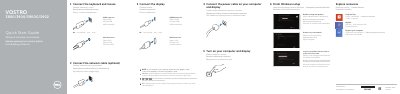
This document serves as a multilingual Quick Start Guide for the Dell Vostro 3800, 3900, 3900G, and 3902 desktop computers. It provides step-by-step instructions in English, Polish, Russian, and Turkish for connecting peripherals such as keyboards, mice, network cables, and displays. The guide also details the initial Windows setup process, including enabling security updates and connecting to a network.

What's inside

  • Connect the keyboard and mouse
  • Connect the network cable
  • Connect the display
  • Connect the power cable
  • Turn on your computer
  • Finish Windows setup
  • Features
  • Product support and manuals
  • Regulatory and safety

Frequently asked questions

What is the first setup step?

Connect the keyboard and mouse.

What should I do if the computer was ordered with a discrete graphics card?

Connect the display to the discrete graphics card.

Is connecting the network cable required?

No, it is optional.

What is listed as feature 5?

Voltage selector switch.

Download PDF (293 KB)

More DELL Manuals


View all DELL manuals →