
Key facts
Start here
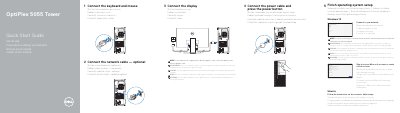
Dell OptiPlex 5055 Tower Computer Quick Start Guide
This quick start guide covers initial setup for the Dell OptiPlex 5055 Tower, including connecting the keyboard, mouse, network cable, display, and power cable, then finishing operating system setup.
It lists 22 numbered system features including ports, buttons, and slots, and provides Dell support contacts plus regulatory details.
Dell OptiPlex 5055 Tower specifications
| Computer model | OptiPlex 5055 Tower |
|---|---|
| External bay | 5.25-inch |
| Optical drive | Optional |
| Memory card reader | Optional |
All Dell OptiPlex 5055 Tower documents by type
Day-to-day operation, settings and troubleshooting. Start here if the product is already set up.
The shortest path to a working setup, usually only a few pages.
- Dell OptiPlex 5055 Tower Computer Quick Start Guide 2 p
- Dell OptiPlex 5055 Tower Quick Start Guide 2 p
- Dell OptiPlex 5055 Tower Quick Start Guide 2 p
- Dell OptiPlex 5055 Tower Desktop Computer Quick Start Guide 2 p
- Dell OptiPlex 5055 Tower Quick Start Guide 2 p
- Dell OptiPlex 5055 Tower Quick Start Guide 2 p
- Dell OptiPlex 5055 Tower Quick Start Guide 2 p
- Dell OptiPlex 5055 Tower Quick Start Guide 2 p
- Dell OptiPlex 5055 Tower Quick Start Guide 2 p
Disassembly, diagnostics and part numbers, for repair.
Questions answered in these manuals
How do I update the BIOS on this system?
You can update the BIOS using a USB flash drive or from the F12 One-Time boot menu.
What components are included in the chassis overview?
The front chassis includes power button, hard drive activity light, USB ports, and optical drive (optional).
How should I connect the display if the computer has a discrete graphics card?
Connect the display to the discrete graphics card.
What do I do when connecting to a secured wireless network?
Enter the password for wireless network access when prompted.
How do I connect the display if the computer has a discrete graphics card?
Connect the display to the discrete graphics card.
Is connecting the network cable required?
No, connecting the network cable is optional.