
Key facts
Start here
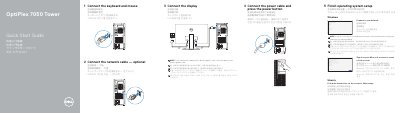
Dell OptiPlex 7050 Tower Quick Start Guide
This document is a multilingual Quick Start Guide for the Dell OptiPlex 7050 Tower computer. It provides step-by-step instructions for connecting peripherals such as the keyboard, mouse, network cable, and display, as well as powering on the device and completing the operating system setup for Windows, Ubuntu, or other supported systems.
Read onlineDell OptiPlex 7050 Tower specifications
| Rated Voltage | 100 - 240 Volts |
|---|---|
| Rated Frequency | 50 - 60 Hertz |
| Rated Input Current | 4 Amperes |
All Dell OptiPlex 7050 Tower documents by type
The shortest path to a working setup, usually only a few pages.
Questions answered in these manuals
Where should I connect the display if I have a discrete graphics card?
You should connect the display to the discrete graphics card.
What should I do if I am connecting to a secured wireless network?
You must enter the password for the wireless network access when prompted.
What should I do if my computer has a discrete graphics card?
Connect the display to the discrete graphics card.
How do I connect to a secured wireless network?
Enter the password for the wireless network access when prompted.
How do I connect the display?
Connect the display to the discrete graphics card if you ordered one, or to the appropriate port on the motherboard.
Where can I find support and manuals?
Visit Dell.com/support for product support and manuals.