
Key facts
Start here
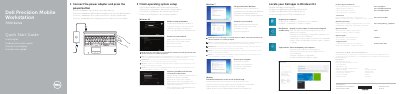
Dell Precision Mobile Workstation 7000 Series Quick Start Guide
The Dell Precision Mobile Workstation 7000 Series Quick Start Guide provides initial setup instructions for the workstation. It covers connecting the power adapter, finishing operating system setup, enabling security and updates, connecting to a network, and signing in to a Microsoft account or creating a local account.
The guide also lists system features such as USB 3.0, HDMI, Mini DisplayPort, and optional camera, fingerprint reader, and smartcard readers. Product support and manuals are available at dell.com/support and dell.com/support/manuals.
Dell Precision Mobile Workstation 7000 Series specifications
| Regulatory model | P53F |
|---|---|
| Input voltage | 100 VAC–240 VAC |
| Input current maximum | 2,34 A / 2,5 A |
| Input frequency | 50 Hz–60 Hz |
| Output voltage | 19,5 VDC |
Source: Dell Precision Mobile Workstation 7000 Series Quick Start Guide
All Dell Precision Mobile Workstation 7000 Series documents by type
The shortest path to a working setup, usually only a few pages.
- Dell Precision Mobile Workstation 7000 Series Quick Start Guide 2 p
- Dell Precision Mobile Workstation 7000 Series Quick Start Guide 2 p
- Dell Precision Mobile Workstation 7000 Series Quick Start Guide 2 p
- Dell Precision Mobile Workstation 7000 Series Quick Start Guide 2 p
- Dell Precision Mobile Workstation 7000 Series Quick Start Guide 2 p
- Dell Precision Mobile Workstation 7000 Series Quick Start Guide 2 p
- Dell Precision Mobile Workstation 7000 Series Quick Start Guide 2 p
- Dell Precision Mobile Workstation 7000 Series Quick Start Guide 2 p
- Dell Precision Mobile Workstation 7000 Series (7510) Quick Start Guide 2 p
- Dell Precision Mobile Workstation 7000 Series Quick Start Guide 2 p
Questions answered in these manuals
What is the first setup step?
Connect the power adapter and press the power button.
From: Dell Precision Mobile Workstation 7000 Series Quick Start Guide
What should I enter for a secured wireless network?
Enter the password for the wireless network access when prompted.
From: Dell Precision Mobile Workstation 7000 Series Quick Start Guide
What should I do if I am connecting to a secured wireless network?
Enter the password for the wireless network access when prompted.
From: Dell Precision Mobile Workstation 7000 Series Quick Start Guide
What is the first step to start using the computer?
Connect the power adapter and press the power button.
From: Dell Precision Mobile Workstation 7000 Series Quick Start Guide
What is the first step to start the Dell Precision 7510?
Connect the power adapter and press the power button.
From: Dell Precision Mobile Workstation 7000 Series Quick Start Guide
What should you do if connecting to a secured wireless network?
Enter the password for the wireless network access when prompted.
From: Dell Precision Mobile Workstation 7000 Series Quick Start Guide