
Key facts
Start here
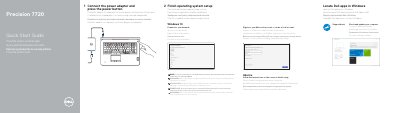
Dell Precision 7720 Quick Start Guide
This document serves as a multilingual Quick Start Guide for the Dell Precision 7720 workstation. It provides step-by-step instructions for initial setup, including connecting the power adapter, pressing the power button, and configuring the operating system. The guide also covers connecting to a network and signing in to a Microsoft account or creating a local one.
Read onlineDell Precision 7720 specifications
| System chipset | Intel CM238 chipset |
|---|---|
| BIOS chip (NVRAM) | 64 Mbit (8 MB) and 32 Mbit (4 MB) |
| 6th-generation processors | Intel i7 and Xeon (Skylake) |
| 7th-generation processors | Intel Core i5, i7, and Xeon (KabyLake) |
| Level 1 cache | Up to 32 KB |
| Level 2 cache | Up to 256 KB |
Source: Dell Precision 7720 User Manual
All Dell Precision 7720 documents by type
The shortest path to a working setup, usually only a few pages.
Disassembly, diagnostics and part numbers, for repair.
Questions answered in these manuals
What are the first two steps to start using the Precision 7720?
Connect the power adapter and press the power button, then finish the operating system setup.
What must you do if you connect to a secured wireless network?
You must enter the password for the wireless network access when prompted.
What chipset does the Dell Precision 7720 use?
It uses the Intel CM238 chipset.
What 6th-generation processors are supported?
It supports 6th-generation Intel i7 and Xeon (Skylake) processors.