
Dell Vostro 3800/3900/3900G/3902 Quick Start Guide

VOSTRO 3800/3900/3900G/3902 Quick Start Guide
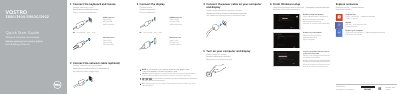

Dell Vostro 3800/3900/3900G/3902 Quick Start Guide - cover page
Brand
DELL
Category
Desktops
Document type
Quick Start Guide
Language
MUL
Pages
2
File format
PDF
File size
293 KB
Published
22 November, 2023
Updated
22 November, 2023
MD5 checksum
9378095F487D83FE6316CE665A931C20

About this manual

This guide shows how to connect the keyboard, mouse, network cable, display, and power cable, then turn on the computer and finish Windows setup. It also identifies the front and rear features of the Vostro 3800 and Vostro 3900/3900G/3902 systems.

Support, manual, regulatory, and safety resources are listed, including Dell support links and regulatory model numbers D08D and D17M.

What's inside

  • Connect the keyboard and mouse
  • Connect the network cable
  • Connect the display
  • Connect the power cable
  • Turn on your computer and display
  • Finish Windows setup
  • Features
  • Product support and manuals
  • Regulatory and safety

Specifications

Regulatory modelD08D, D17M

Frequently asked questions

Where should the display be connected if the computer has a discrete graphics card?

Connect the display to the discrete graphics card.

What support and manual resources are listed?

Dell lists dell.com/support, dell.com/support/manuals, dell.com/windows8, and dell.com/contactdell.

What are the regulatory model numbers?

The regulatory models are D08D and D17M.

Download PDF (293 KB)

More DELL Manuals


View all DELL manuals →