
Key facts
Start here
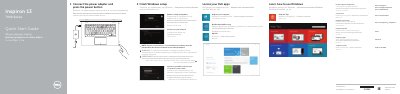
Dell Inspiron 13 7000 Series Quick Start Guide
This guide helps you set up your Dell Inspiron 13 7000 Series laptop quickly. It covers connecting power, registering your device, setting up Windows, connecting to a network, and using basic controls. The guide also lists hardware features like ports, sensors, and buttons.
For detailed specifications, visit dell.com/support. The guide includes multilingual support and shortcuts for volume, brightness, and wireless settings.
Dell Inspiron 13 7000 Series specifications
| Computer Model | Inspiron 13 7000 Series |
|---|---|
| Regulatory Model | P57G |
| Regulatory Type | P57G001 |
All Dell Inspiron 13 7000 Series documents by type
The shortest path to a working setup, usually only a few pages.
Disassembly, diagnostics and part numbers, for repair.
- Dell Inspiron 13 7000 Series (Inspiron 13-7347) Service Manual 85 p
- Dell Inspiron 13 7000 Series Inspiron 13–7353 Service Manual 101 p
- Dell Inspiron 13 7000 Series (13-7348) Service Manual 87 p
- Dell Inspiron 13 7000 Series (Inspiron 13-7353) Service Manual 93 p
- Dell Inspiron 13 7000 Series Service Manual 99 p
- Dell Inspiron 13 7000 Series Service Manual 94 p
- Dell Inspiron 13 7000 Series Laptop Service Manual 96 p
- Dell Inspiron 13 7000 Series Service Manual 97 p
- Dell Inspiron 13 7000 Series Service Manual 98 p
- Dell Inspiron 13 7000 Series Service Manual 94 p
Questions answered in these manuals
How do I connect to a secured wireless network?
Enter the wireless network access password when prompted.
How do I register my computer?
Visit dell.com/support/manuals to register your computer.
How do I connect the power adapter?
Connect the power adapter and press the power button.
How do I enable Dell updates?
Enable Dell updates in the operating system settings.
What is the regulatory model number for this computer?
The regulatory model number is P57G.
What is the regulatory type number for this computer?
The regulatory type number is P57G001.