
Key facts
Start here
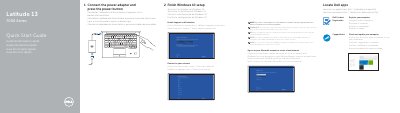
Dell Latitude 7000 Series Notebook Quick Start Guide
Quick Start Guide 2 pages · 342 KB · EN
This document serves as a Quick Start Guide for the Dell Latitude 7000 Series notebook. It provides multilingual instructions for initial setup, including connecting the power adapter, completing the Windows 10 setup, enabling SupportAssist, and signing into a Microsoft account. Users are advised to enter a password if connecting to a secured wireless network.
Read onlineDell Latitude 7000 Series specifications
| Model number | Latitude 12 7000 Series (E7250/7250) |
|---|---|
| Processor options | 5th Generation Intel Core up to i7 processors |
| Operating system | Windows 7 Professional, Windows 8.1, Ubuntu Linux 14.04 LTS |
| Memory | DDR3L SDRAM 1600 MHz; 1 slot up to 8 GB or 2 slots up to 16 GB |
| Chipset | Integrated with processor (Wildcat Point LP) |
| Graphics | Intel Integrated HD Graphics 5500 |
| Display | 12.5-inch HD (1366 x 768) anti-glare or FHD touch with Corning Gorilla Glass |
| Storage | Up to 512 GB mobility solid state drive; 256 GB SED SSD |
| Security | FIPS certified TPM, optional swipe fingerprint reader, smart card reader, contactless smart card/NFC, crypto accelerator, ControlVault, Computrace, DDP tools |
| Docking | eDocking base or non-eDocking base |
| Optical drive | External options only |
| Multimedia | High quality speakers; headset/mic combo jack; optional noise-reducing array microphones; optional HD or FHD video webcam |
| Battery | 3-cell 39 Whr or 4-cell 52 Whr lithium polymer with ExpressCharge |
| Power | 65 W or 90 W AC adapter |
| Connectivity | 10/100/1000 Gigabit Ethernet; optional WLAN, WWAN and WiGig |
| Wireless LAN | Dell Wireless 1560/1707, Intel Dual Band Wireless-AC/AN 7265, optional WiGig |
| Ports | Universal jack, SD 4.0 memory card reader, eDocking connector, 3 USB 3.0, HDMI, mDP, RJ-45, SIM slot |
| Dimensions (Latitude 12) | Width 12.2 in/310.5 mm; depth 8.3 in/211.0 mm; height 0.70-0.83 in/17.8-21 mm |
| Starting weight (Latitude 12) | 2.79 lb / 1.27 kg with 3-cell battery |
| Dimensions (Latitude 14) | Width 13.3 in/337 mm; depth 9.11 in/231.5 mm; height 0.74-0.88 in/18.8-22.6 mm |
| Starting weight (Latitude 14) | 3.42 lb / 1.55 kg |
| Regulatory model | P22S |
| Compliance | ENERGY STAR 6.0; EPEAT registered |
| Warranty | Limited hardware warranty; standard 3-year on-site service after remote diagnosis |
| Keyboard | Single pointing non-backlit or backlit; smart card, contactless smart card/NFC and ControlVault variants |
| Touchpad resolution | X 1048 cpi; Y 984 cpi |
| Touchpad active area | 99.5 mm x 53.0 mm |
All Dell Latitude 7000 Series documents by type
Product Leaflet 1
Quick Start Guide 1
The shortest path to a working setup, usually only a few pages.
Questions answered in these manuals
What processor options are listed for the Latitude 12 7000 Series?
5th Generation Intel Core up to i7 processors.
Do the listed battery options include ExpressCharge?
Yes, the listed battery options include ExpressCharge.
What are the first two steps to start using the notebook?
You must connect the power adapter and press the power button, then finish the Windows 10 setup.
What should you do if you are connecting to a secured wireless network?
You must enter the password for the wireless network access when prompted.