
Key facts
Start here
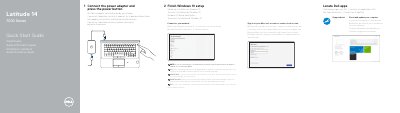
Dell Latitude 14 7000 Series Quick Start Guide
This guide helps you connect the power adapter, turn on the laptop, complete Windows 10 setup, and connect to a network. It includes instructions for signing in to a Microsoft account or creating a local account. The guide also lists hardware features like ports, camera, speakers, and optional readers.
The document is multilingual, with translations in Dutch, French, German, Italian, and Spanish. It includes regulatory information and model-specific details such as the regulatory model P61G and type P61G001.
Dell Latitude 14-7470 specifications
| Regulatory Model | P61G |
|---|---|
| Regulatory Type | P61G001 |
| Computer Model | Latitude 14-7470/E7470 |
All Dell Latitude 14-7470 documents by type
The shortest path to a working setup, usually only a few pages.
Questions answered in these manuals
How do I connect to a secured wireless network?
Enter the password for the wireless network access when prompted.
What ports are available on this laptop?
It has a network connector, HDMI connector, Mini DisplayPort, USB 3.0 connectors (2), power connector, microphones (touchscreen or non-touchscreen), camera, headset connector, SIM port (optional), memory card reader, and more.
What should I do if I am connecting to a secured wireless network?
Enter the password for the wireless network access when prompted.
From: Dell Latitude 14 7000 Series Notebook Quick Start Guide
How do I update my computer?
Use the SupportAssist utility to check and update your computer.
From: Dell Latitude 14 7000 Series Notebook Quick Start Guide
What is the first step to start using the laptop?
Connect the power adapter and press the power button.
From: Dell Latitude 14 7000 Series (Latitude 14-7470/E7470) Computer Quick Start Guide
What Dell applications and services does the guide mention?
It mentions Register My Device, Dell Backup and Recovery, Dell Data Protection | Protected Workspace, and Dell SupportAssist.
From: Dell Latitude 14 7000 Series (Latitude 14-7470/E7470) Computer Quick Start Guide