
Key facts
Start here
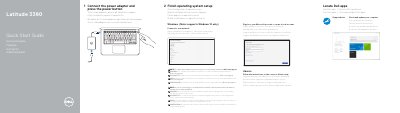
Dell Latitude 3380 Quick Start Guide
This document serves as a multilingual Quick Start Guide for the Dell Latitude 3380 laptop. It provides step-by-step instructions in various languages for connecting the power adapter, finishing the operating system setup (noting support for Windows 10), connecting to a network, and signing into a Microsoft account. It also includes brief instructions for setting up Ubuntu.
Read onlineDell Latitude 3380 specifications
| Computer model | Latitude 3380 |
|---|---|
| Regulatory model | P80G |
| Regulatory type | P80G001 |
All Dell Latitude 3380 documents by type
The shortest path to a working setup, usually only a few pages.
- Dell Latitude 3380 Quick Start Guide 2 p
- Dell Latitude 3380 Laptop Quick Start Guide 2 p
- Dell Latitude 3380 Quick Start Guide 2 p
- Dell Latitude 3380 Quick Start Guide 2 p
- Dell Latitude 3380 Quick Start Guide 2 p
- Dell Latitude 3380 Quick Start Guide 2 p
- Dell Latitude 3380 Quick Start Guide 2 p
- Dell Latitude 3380 Quick Start Guide 2 p
- Dell Latitude 3380 Quick Start Guide 2 p
Day-to-day operation, settings and troubleshooting. Start here if the product is already set up.
Questions answered in these manuals
What operating system does the computer support?
The computer supports Windows 10 only.
How do you start the computer?
Connect the power adapter and press the power button.
How do I start the Dell Latitude 3380?
Connect the power adapter and press the power button.
Which Windows version does the Latitude 3380 support?
It supports Windows 10 only.
Which operating systems does this laptop support?
The device supports Windows 10 only.
Where can I find instructions for installing a SIM card?
You must see the Owner's Manual at Dell.com/support.