
Key facts
- Brand
- Cisco
- Model
- RV160
- Category
- Router
- Industry
- Electronics
- Documents
- 4
- Languages
- ES · JA · ZH
- Last added
- 2026-11-19
Start here
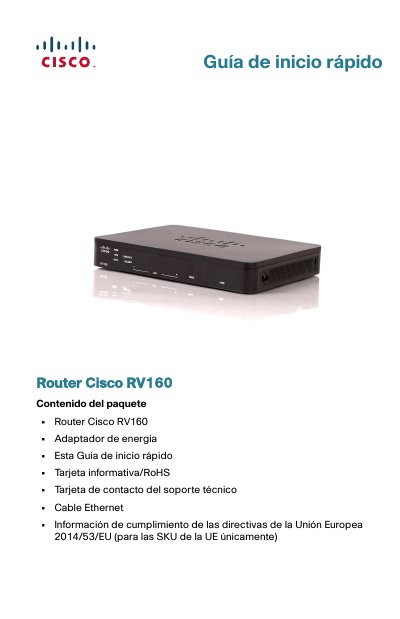
Cisco RV160 Router Quick Start Guide
The Cisco RV160 is a four-port VPN router with IPv6 firewall support and a web-based device manager with configuration wizards. The package includes the router, power adapter, quick start guide, informational/RoHS card, technical support contact card, Ethernet cable, and EU compliance information.
This guide describes desktop and wall mounting, front and rear panel indicators and ports, and how to connect a PC to the LAN port and power on the device for initial setup. This manual is written in Spanish.
Cisco RV160 specifications
| Router type | Four-port VPN router |
|---|---|
| Firewall support | IPv6 |
| Power input | 12VDC (1.5A) |
| Max ambient temperature | 104 °F (40 °C) |
| Wall mount hole spacing | 109 mm |
| LAN ports | 4 RJ-45 ports |
| WAN port | 1 RJ-45 port |
All Cisco RV160 documents by type
The shortest path to a working setup, usually only a few pages.
Questions answered in these manuals
What is included in the Cisco RV160 package?
The package includes the Cisco RV160 router, power adapter, quick start guide, informational/RoHS card, technical support contact card, Ethernet cable, and EU compliance information.
How do I restore the Cisco RV160 to factory default settings?
Press and hold the RESET button for more than 10 seconds; this restores factory defaults and erases configuration changes.
How do I reset the router to factory defaults?
Press and hold the RESET button for more than 10 seconds.
What does the GIGABIT LED indicate?
It lights up green when the speed is 1000 M.
What is the default IP address for the router?
The default IP address is 192.168.1.1.
What are the default login credentials?
The default username is 'cisco' and the password is also 'cisco'.