
Key facts
- Brand
- Cisco
- Model
- RV0xx Series
- Category
- Router
- Industry
- Electronics
- Documents
- 2
- Languages
- EN · ZH
- Last added
- 2026-11-17
Start here
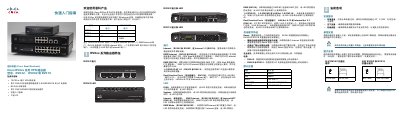
Cisco RV0xx Series VPN Routers Quick Start Guide
This two-page Quick Start Guide covers the Cisco Small Business (思科精睿) RV0xx series VPN routers: models RV042, RV082 and RV016. It lists what is in the box, compares the models' LAN and WAN/DMZ ports, and explains the function of each port and front/rear panel LED, including DIAG, System, Internet, DMZ and DMZ Mode indicators.
It also gives placement advice (ambient temperature below 40°C, ventilation, level surface), desktop and wall-mount instructions with recommended screw sizes and hole spacing, 19-inch rack mounting for the RV082/RV016, step-by-step device cabling, default login values, initial web-based configuration with the Setup Wizard, and troubleshooting tips for Internet and configuration utility connection problems. This manual is written in Chinese.
Cisco RV0xx Series specifications
| RV042 Standards | IEEE 802.3, 802.3u |
|---|---|
| RV042 Ports | 4 10/100 RJ-45 ports, 1 10/100 RJ-45 Internet port, 1 10/100 RJ-45 DMZ/Internet port |
| RV042 NAT Throughput | 100 Mbps |
| RV042 IPSec Throughput | 59 Mbps |
| RV042 IPSec Tunnels | 50 |
| RV042 Encryption | DES, 3DES, AES-128, AES-192, AES-256 |
| RV042 Operating System | Linux |
| RV042 Dimensions | 5.12 x 1.52 x 7.87 in. |
| RV042 Power | 12V, 1A |
| RV016 Ports | 16 10/100 RJ-45 ports, including 2 Internet ports, 1 DMZ port, 8 LAN ports, and 5 Configurable Internet/LAN ports |
| RV016 NAT Throughput | 200 Mbps |
| RV016 IPSec Throughput | 97 Mbps |
| RV016 Power | AC 100~240V, 50~60 Hz |
All Cisco RV0xx Series documents by type
Day-to-day operation, settings and troubleshooting. Start here if the product is already set up.
The shortest path to a working setup, usually only a few pages.
Questions answered in these manuals
What operating system do the routers use?
The routers use Linux.
How many IPSec tunnels does the RV042 support?
It supports 50 IPSec tunnels for branch office connectivity.
How do I log in to the router's configuration utility?
Connect a PC to a numbered LAN port, open a web browser and enter 192.168.1.1, then log in with the default username admin and default password admin (lowercase).
How do I reset the router to factory defaults?
Press and hold the Reset button for 30 seconds; all previously entered settings are lost. Hold it for one second to simply restart the router or restore the connection.