
Key facts
- Brand
- Cisco
- Model
- 350 Series
- Category
- Network Switches
- Industry
- Computers
- Documents
- 5
- Languages
- ZH · EN · JA
- Last added
- 2026-11-22
Start here
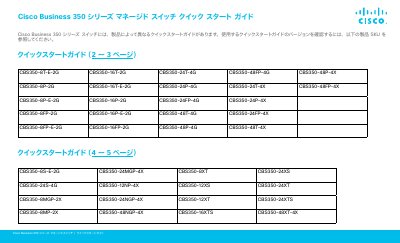
Cisco Business 350 Series Managed Switch Quick Start Guide
This document is the Quick Start Guide for the Cisco Business 350 Series Managed Switches. It covers initial setup procedures, default login information, and LED status indicators to help users get the device operational quickly. The guide applies to various models within the series, such as the CBS350-8T-E-2G and CBS350-48FP-4X. This manual is written in Japanese.
Read onlineCisco 350 Series specifications
| Rack unit size | 1 rack unit (1.75 inches / 44.45 mm) |
|---|---|
| Ventilation clearance | at least 3 inches (7.6 cm) |
| Default VLAN 1 IP address | 192.168.1.254 |
| PoE model identifier | P in model number (CBSxxx-xxP-xx) |
| Stacking port speed | 10 Gig speed |
Source: Cisco Business 350 Series Switches Administration Guide
All Cisco 350 Series documents by type
Day-to-day operation, settings and troubleshooting. Start here if the product is already set up.
The shortest path to a working setup, usually only a few pages.
Questions answered in these manuals
What is the Cisco 350 Series switch designed for?
It is designed to provide a reliable network foundation for small businesses with advanced security and features at an affordable price.
What types of connections do the Cisco 350 Series switches offer?
They offer 48 high-speed Ethernet ports and 10 to 28 Gigabit Ethernet ports, with options for PoE and PoE+.
What is the default IP address for VLAN 1?
The default IP address is 192.168.1.254.
From: Cisco Business 350 Series Switches Administration Guide
How much rack space does the switch require?
The switch requires 1 rack unit, which is 1.75 inches (44.45 mm) high.
From: Cisco Business 350 Series Switches Administration Guide
What are the default login credentials for the switch?
The default username is 'cisco' and the default password is 'cisco'.
From: Cisco Business 350 Series Managed Switch Quick Start Guide
What is the default IP address of the switch?
The default IP address is 192.168.1.254 with a subnet mask of /24.
From: Cisco Business 350 Series Managed Switch Quick Start Guide