
Key facts
- Brand
- Casio
- Model
- DT-930
- Industry
- Industrial
- Documents
- 3
- Languages
- EN · JA
- Last added
- 2012-05-02
Start here
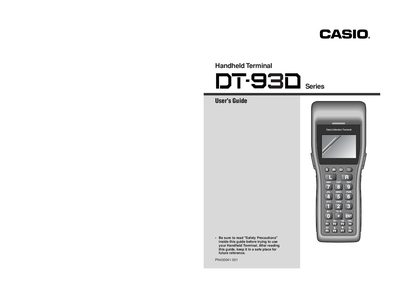
Casio DT-930 Handheld Terminal User Guide
This guide begins with safety precautions, covering symbols, battery handling, and warnings about disassembly, moisture, and foreign objects. It emphasizes proper use of the optional lithium‑ion battery pack and coin‑type lithium battery, and details the risks of improper handling.
Later sections describe interference considerations, especially around pacemakers, and provide step‑by‑step instructions for installing optional cradles, wall‑mounting the Satellite Cradle, and connecting the cradle‑type battery charger. The manual ends with mounting diagrams and maintenance tips.
Casio DT-930 specifications
| Dimensions (DT-930M51E) | 173 mm (D) × 69 mm (W) × 31.6 mm (H) |
|---|---|
| Weight (DT-930M51E) | ≈ 210 g |
| Operating time (AA alkaline batteries) | ≈ 200 hours (2 AA) |
| Operating time (Lithium‑ion battery pack) | ≈ 30 hours |
| CPU | SHI 32‑bit RISC |
| Main RAM | 4 MB |
| Flash ROM | 16 MB |
| MTBF | 70,000 hours |
| Power‑switch life | 3,000 cycles |
| Terminal‑detection switch life | 20,000 cycles |
| DC‑jack connect/disconnect cycles | 500 cycles |
| Battery‑pack removal cycles | 5,000 cycles |
All Casio DT-930 documents by type
Day-to-day operation, settings and troubleshooting. Start here if the product is already set up.
Instruction set, parameters and examples for configuring or programming the device.
Questions answered in these manuals
What are the dimensions and weight of the DT-930M51E model?
The DT-930M51E measures 173 mm (D) × 69 mm (W) × 31.6 mm (H) and weighs about 210 g.
How long can the DT-930 operate on AA alkaline batteries?
It can run for approximately 200 hours using two AA‑size alkaline batteries.
What operating systems are supported for the DT-930 SDK?
The SDK works on Windows 2000, Windows XP, Windows Server 2003, and Windows Vista.
How do I install the Microsoft Loopback Adapter for the emulator?
Follow the steps in the "MicrosoftLoopback Adapter のインストール方法" section of the manual.
Can the battery pack be used with devices other than the DT‑930?
No, the battery pack must only be used with this unit.
How far should the handheld terminal be kept from a pacemaker?
At least 22 centimeters (8' 1/10") away.