
Key facts
- Brand
- Yamaha
- Model
- M7CL
- Documents
- 20
- Languages
- EN · ZH · JA
- Last added
- 2012-06-11
Start here
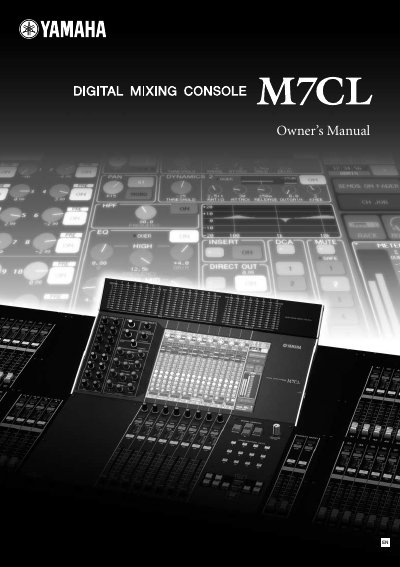
Yamaha M7CL Digital Mixing Console Owner's Manual
This document serves as the Owner's Manual for the Yamaha M7CL series of digital mixing consoles. It provides essential safety instructions, FCC compliance information, and regulatory warnings applicable to the M7CL-48 and M7CL-32 models.
The manual outlines critical precautions regarding electrical shock, proper installation, ventilation requirements, and battery disposal. It also details specific regulations for different regions, including the United States, United Kingdom, Netherlands, and Finland.
Yamaha M7CL specifications
| Supported Firmware Version | V3.5 or higher |
|---|---|
| Max AD8HR Units (Remote) | 12 units |
| Max SB168-ES Units (Remote) | 3 units |
Source: Yamaha M7CL Version 3 Digital Mixing Console Firmware Update Supplemental Manual
All Yamaha M7CL documents by type
Day-to-day operation, settings and troubleshooting. Start here if the product is already set up.
- Yamaha M7CL V3.5 Supplementary Manual 8 p
- Yamaha M7CL Version 3 Digital Mixing Console Firmware Update Supplemental Manual 8 p
- Yamaha M7CL Upgrade Guide 7 p
- Yamaha M7CL V3 Editor Owner's Manual 83 p
- Yamaha M7CL V3 Editor Owner's Manual 80 p
- Yamaha M7CL V3 Editor Owner's Manual 80 p
- Yamaha M7CL Digital Mixing Console Supplementary Manual 12 p
- Yamaha M7CL V2 Editor Owner's Manual 73 p
- Yamaha M7CL V2 Editor Owner's Manual 73 p
- Yamaha M7CL Digital Mixing Console Firmware V1.10 Supplementary Manual 4 p
- Yamaha M7CL Digital Mixing Console Owner's Manual 282 p
- Yamaha M7CL Editor Owner's Manual 72 p
- Yamaha M7CL Editor Owner's Manual 72 p
- Yamaha M7CL Digital Mixing Console StageMix App User Guide 34 p
- Yamaha M7CL StageMix User Guide 16 p
- Yamaha M7CL StageMix V2.0 User Guide 29 p
- Yamaha M7CL Digital Mixing Console Owner's Manual 282 p
- YAMAHA M7CL Manual 12 p
Mounting, wiring and first power-up. Read it before the hardware goes in.
How to use the product for one specific task, with worked examples.
Questions answered in these manuals
What is the ALTERNATE function?
It allows you to perform operations such as switching a parameter on/off by holding down a user-defined key and operating an encoder.
How do I enable remote control of an external head amp?
Install an MY16-ES64 EtherSound card in slot 1 and connect it to the external unit via an Ethernet cable.
What software is required for ASIO streaming?
You must install AuviTran Network ASIO Streamer V1.2.5 or higher and compatible ASIO DAW software.
From: Yamaha M7CL Version 3 Digital Mixing Console Firmware Update Supplemental Manual
How do I enable the ALTERNATE function?
Hold down a user-defined key assigned to the ALTERNATE function and operate an encoder in the SELECTED CHANNEL area.
From: Yamaha M7CL Version 3 Digital Mixing Console Firmware Update Supplemental Manual
What happens to internal data when updating from V1/V2 to V3?
All M7CL internal data will be initialized. You must back up the data before updating.
Which USB storage device formats are supported?
The USB storage device must be formatted in FAT12, FAT16, or FAT32.