
Key facts
Start here
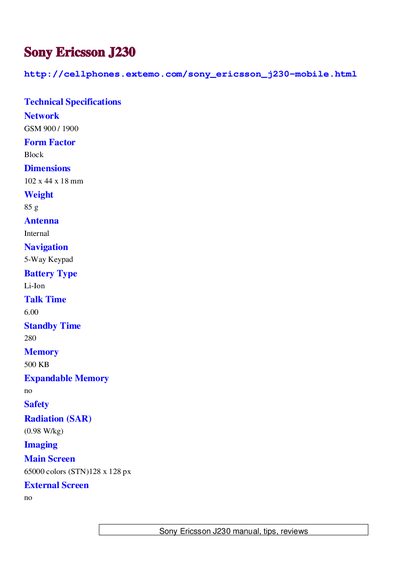
Sony Ericsson J230 Mobile Phone User Manual
The J230 is a compact GSM mobile phone with a 102 × 44 × 18 mm block form factor, weighing 85 g. It offers a 65000‑color STN display (128 × 128 px), Li‑Ion battery with up to 6 hours talk time and 280 minutes standby, and 500 KB of internal memory. Connectivity options are limited to GPRS (Class 8) and FM radio; the device does not include Bluetooth, infrared, or a camera.
The manual also addresses common user issues such as connecting the phone to a PC via a DCU‑60 or DCU‑11 data cable, obtaining the required PC Suite driver, and unlocking the device for use on other networks. FAQs cover these topics and provide concise guidance based on the information provided.
SONY J230 specifications
| Network | GSM 900 / 1900 |
|---|---|
| Dimensions | 102 x 44 x 18 mm |
| SAR | 0.98 W/kg |
| Main Screen | 65000 colors (STN) 128 × 128 px |
| Bluetooth | No |
| Camera | No |
All SONY J230 documents by type
Day-to-day operation, settings and troubleshooting. Start here if the product is already set up.
Questions answered in these manuals
How can I connect the Sony Ericsson J230 to a PC?
Use a compatible DCU‑60 or DCU‑11 data cable and install the appropriate PC Suite driver; the phone requires this specific cable for USB connection.
Can the J230 be unlocked for use on other networks?
Yes, the device can be unlocked; users need to obtain an unlock code from the provider or a third‑party service.