
Key facts
- Brand
- SONY
- Model
- HC7
- Category
- Digital cameras
- Documents
- 3
- Languages
- EN · JA · ZH
- Last added
- 2012-05-03
Start here
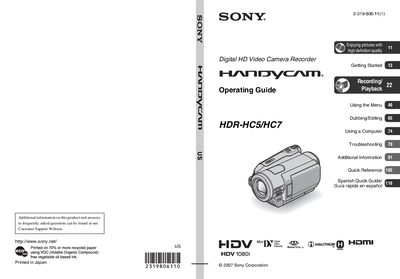
Sony HDR-HC5/HC7 Camcorder Operating Guide
This operating guide covers important safety safeguards, power‑source requirements, and proper handling of the Sony HDR‑HC5/HC7 digital HD video camcorder. It explains how to install the polarized AC power cord, avoid moisture and lightning damage, and perform routine cleaning and maintenance.
The manual also details how to use the camcorder’s functions, including recording with HDV 1080i, supported media (Mini‑DV cassettes marked MDW and Memory Stick Duo), menu navigation, HDMI/USB connections, and troubleshooting common issues. Regulatory and recycling information for the lithium‑ion battery is provided as well.
SONY HC7 specifications
| Video Format | HDV 1080i |
|---|---|
| Device Type | Digital HD Video Camera Recorder |
| Supported Tape | Mini DV cassettes marked MDW |
| Battery Type | Lithium‑Ion (recyclable) |
| Power Cord | Polarized AC power cord plug |
All SONY HC7 documents by type
Day-to-day operation, settings and troubleshooting. Start here if the product is already set up.
Questions answered in these manuals
Can HDV tapes be played back on a mini DV player?
No, HDV tapes cannot be played on mini DV players; the screen will appear blue.
How can I connect the camcorder to a TV?
Use an HDMI cable, D‑terminal component video cable, USB cable, or i.LINK cable, ensuring the connector orientation is correct to avoid damage.
What type of memory cards can be used with the camcorder?
Only Memory Stick Duo cards are supported; other Memory Stick types are not compatible.
How do I change the language setting on the camcorder?
The language can be changed from the menu before using the camcorder, as described in the language‑setting section.