
Key facts
- Brand
- SONY
- Model
- DCR-PC10
- Category
- Other Electronics
- Documents
- 4
- Languages
- EN · ZH · JA
- Last added
- 2012-03-24
Start here
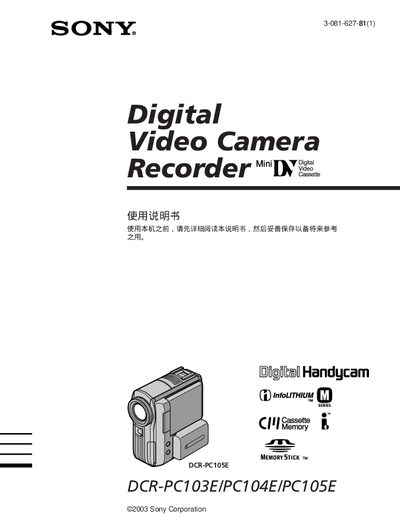
Sony DCR-PC103E/PC104E/PC105E Handycam User Manual
This Sony Handycam manual provides step‑by‑step instructions for using the DCR‑PC103E, DCR‑PC104E and DCR‑PC105E camcorders. It includes safety warnings, accessory checklists, basic and advanced shooting techniques, playback, editing, and maintenance procedures.
The guide also details supported media (Memory Stick), battery type (NP‑FM30 rechargeable), power adapters (AC‑L15A/L15B), and USB connectivity for transferring video to computers. Technical specifications are listed in the final section. This manual is written in Chinese.
SONY DCR-PC10 specifications
| Supported storage media | Memory Stick |
|---|---|
| Battery type | NP‑FM30 rechargeable battery |
| Power adapter | AC‑L15A/L15B AC adapter |
| USB connectivity | USB cable for video transfer |
All SONY DCR-PC10 documents by type
Day-to-day operation, settings and troubleshooting. Start here if the product is already set up.
Questions answered in these manuals
How do I charge the battery pack?
Connect the AC power adaptor, align the battery pack hooks, plug the power cord into a wall outlet; the CHARGE lamp (orange) lights up and turns off when charging is complete.
What should I do if a warning indicator appears?
Disconnect the power source and contact your Sony dealer or an authorized service facility.
How do I connect the power cord?
Connect the plug with its mark facing up and insert it fully into the outlet.
How do I record video onto a Memory Stick?
Select the Memory Stick as the recording medium and use the menu to start recording; the manual shows the steps for recording both still images and video on a Memory Stick.
What battery is required for the camcorder?
The camcorder uses the NP‑FM30 rechargeable battery, which is listed in the accessories section.
How do I connect the camcorder to a computer?
Use a USB or iLINK cable and make sure the connector orientation matches before inserting it.