
Key facts
- Brand
- SONY
- Model
- DCR-SR300
- Category
- Digital cameras
- Documents
- 2
- Languages
- ZH · JA
- Last added
- 2012-02-03
Start here
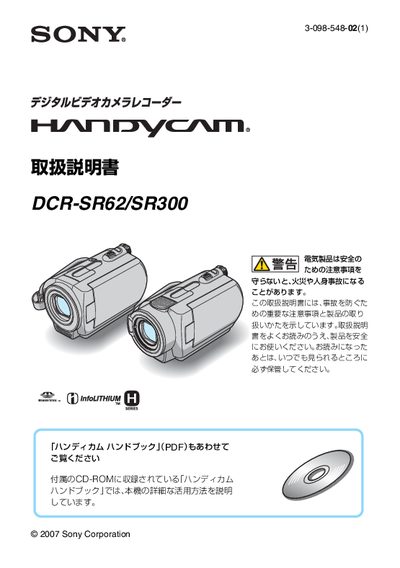
Sony DCR‑SR62/DCR‑SR300 Handicam Operating Instructions
This manual explains important safety precautions for the DCR‑SR62 and DCR‑SR300 hand‑cameras, including warnings about electric shock, fire, and battery hazards. It also details how to prepare the device, charge the battery, and set the date and time before shooting.
The guide covers battery specifications, charging procedures, recording and playback times, remote‑control battery replacement, and troubleshooting tips. Support contact information and warranty details are provided at the end of the document. This manual is written in Japanese.
SONY DCR-SR300 specifications
| Storage Capacity | 40 GB |
|---|---|
| Maximum Recording Time | 28 hours |
| Sensor | 1/3" CCD (5.9 mm) ClearVid CMOS |
| Lens Focal Length | 5.4‑54 mm |
| Weight | 455 g |
| Dimensions | 76 × 78 × 149 mm |
| Audio Recording | 5.1 channel |
All SONY DCR-SR300 documents by type
Day-to-day operation, settings and troubleshooting. Start here if the product is already set up.
Questions answered in these manuals
What type of sensor does the DCR‑SR300 use?
It uses a 1/3" CCD (5.9 mm) ClearVid CMOS sensor.
What is the lens focal length range?
The built‑in lens covers a range of 5.4 mm to 54 mm.
How do I charge the battery?
Set the power switch to the charge position, connect the AC adapter to the DC IN terminal, and the charging lamp will light while charging; it turns off when charging is complete.
From: Sony DCR‑SR62/DCR‑SR300 Handicam Operating Instructions
How do I set the date and time?
When the camera is first powered on, a [Date/Time Setup] screen appears; use the green button and the directional keys to adjust year, month, day, hour, and minute, then confirm.
From: Sony DCR‑SR62/DCR‑SR300 Handicam Operating Instructions