
Key facts
- Brand
- SONY
- Model
- DSC-R1
- Category
- Digital cameras
- Industry
- Electronics
- Documents
- 3
- Languages
- EN · ZH
- Last added
- 2012-05-02
Start here
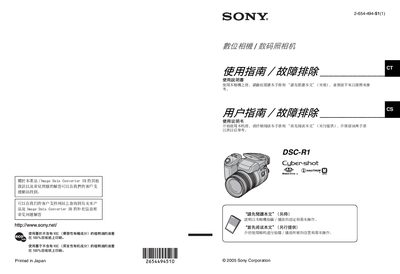
Sony DSC-R1 Digital Camera User Manual
This manual explains how to set up and operate the Sony DSC‑R1 digital camera. It covers safety precautions, battery handling, memory‑stick usage, and basic shooting functions such as focus, exposure, and flash. Detailed instructions are provided for menu navigation, LCD settings, and image recording.
Additional sections describe the Carl Zeiss lens with T‑coating, LCD screen characteristics, compatibility with JEITA DCF file standards, and accessories like the Memory Stick Duo adapter and AC power adapter. The guide also includes maintenance tips, formatting procedures, and USB/video output connections. This manual is written in Chinese.
SONY DSC-R1 specifications
| Sensor | 1/1.6" 10.3 MP CMOS sensor (21.5 × 14.4 mm) |
|---|---|
| Aperture range | F2.4‑F4.8 (minimum F16) |
| Shutter speed | 30 – 1/2000 sec (Bulb up to 3 min) |
| LCD | 2.0‑inch TFT, 134 k pixels, free‑angle |
| Battery | NP‑FM50 InfoLithium rechargeable battery |
| Weight | 2 lb 8 oz (926 g) body only |
| Dimensions (W × H × D) | 5 ½" × 3 ⅞" × 6 ¼" (139.4 × 97.7 × 156 mm) |
Source: Sony DSC-R1 Camera Usage Guide
All SONY DSC-R1 documents by type
Day-to-day operation, settings and troubleshooting. Start here if the product is already set up.
Questions answered in these manuals
How do I switch between the LCD screen and the electronic viewfinder?
Use the Display Mode Switch to choose LCD, EVF, or automatic switching based on eye detection.
How can I access and change recording settings?
Press the Multi‑Selector and rock it right to open the Setup Menus, then rock left to adjust recording parameters.
What type of memory cards does the DSC‑R1 use?
The camera uses Sony Memory Stick cards and can also use Memory Stick Duo cards with a Memory Stick Duo adapter.
How should the battery be prepared before first use?
Charge the FM50 rechargeable battery before using the camera for the first time.