
Key facts
- Brand
- Sharp
- Model
- HT-X1
- Category
- Player
- Industry
- Appliances
- Documents
- 2
- Languages
- EN
- Last added
- 2012-08-03
Start here
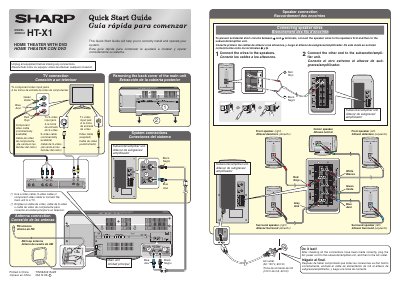
SHARP HTX1 Quick Guide
This Quick Start Guide provides instructions for correctly installing and operating the Sharp LIT-X4 Home Theater with DVD system. It details how to connect the main unit to a TV using video cables, S-video, or component video, and how to connect the subwoofer/amplifier unit to speakers.
Read onlineSharp HT-X1 specifications
| Front speakers | CP-X1F |
|---|---|
| Center speaker | CP-X1C |
| Surround speakers | CP-X1S |
| Laser classification | Class 1 laser product |
All Sharp HT-X1 documents by type
Day-to-day operation, settings and troubleshooting. Start here if the product is already set up.
The shortest path to a working setup, usually only a few pages.
Questions answered in these manuals
What cables are needed to connect the main unit to a TV?
You can use a video cable, S-video cable, or component video cable.
From: SHARP HTX1 Quick Guide
Are batteries included with the system?
No, batteries are not included in the package.
From: SHARP HTX1 Quick Guide
What should I do before cleaning the product?
Unplug it from the wall outlet before cleaning. Use a damp cloth, not liquid or aerosol cleaners.
Where can I find the model and serial numbers?
They are located on the rear of the subwoofer/amplifier unit.