
Key facts
- Brand
- Sharp
- Model
- CD-G15000
- Category
- Hi-Fi
- Industry
- Appliances
- Documents
- 2
- Languages
- EN
- Last added
- 2012-08-03
Start here
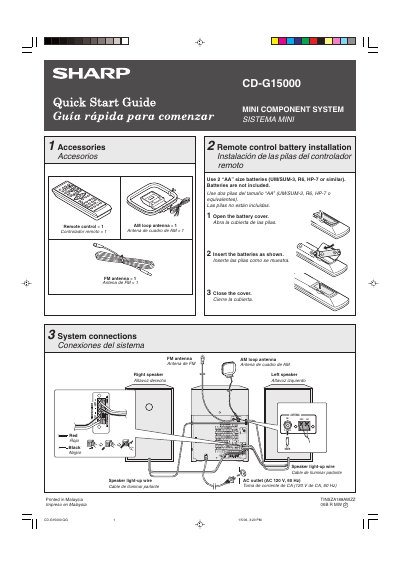
Sharp CD-G15000 Mini Component System Quick Start Guide
This document is a bilingual (English/Spanish) Quick Start Guide for the Sharp CD-G15000 Mini Component System. It provides instructions on installing batteries in the included remote control and connecting the system to speakers and power sources.
The guide details how to operate the unit, including canceling the initial demonstration mode, playing CDs and MP3/WMA discs using the disc trays, listening to FM/AM radio with automatic scanning features, and playing cassette tapes.
All Sharp CD-G15000 documents by type
Day-to-day operation, settings and troubleshooting. Start here if the product is already set up.
Questions answered in these manuals
What batteries are required for the remote control?
Use 2 "AA" size batteries (UM/SUM-3, R6, HP-7 or similar). Batteries are not included.
From: Sharp CD-G15000 Mini Component System Quick Start Guide
How do I cancel the demonstration mode?
Press the X-BASS/DEMO button to cancel the demonstration mode.
From: Sharp CD-G15000 Mini Component System Quick Start Guide