
Key facts
Start here
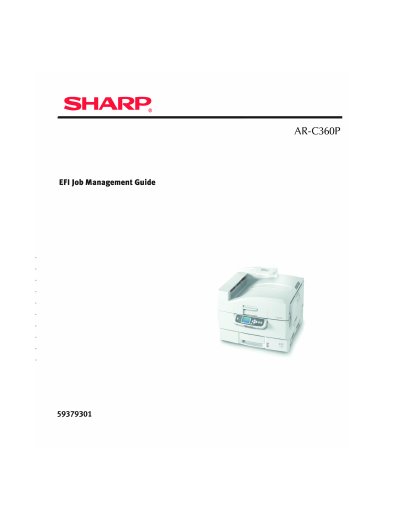
Sharp AR-C360P EFI Job Management Guide
The document is a user guide for the Sharp AR-C360P printer, specifically focusing on job management features provided by the Embedded Fiery (EFI) system. It outlines procedures and settings related to handling print tasks within this specific hardware environment.
The text includes legal notices regarding software licensing from Electronics for Imaging (EFI), compliance statements for FCC and Industry Canada regulations, and trademark acknowledgments for various EFI technologies such as Command WorkStation and Fiery.
Sharp AR-C360P specifications
| Full color printing speed | Up to 36 pages per minute |
|---|---|
| Black and white printing speed | Up to 40 pages per minute |
| Print resolution | 1200 x 1200 dpi |
| Network connection | 10Base-T and 100Base-TX |
All Sharp AR-C360P documents by type
Day-to-day operation, settings and troubleshooting. Start here if the product is already set up.
- Sharp AR-C360P Utilities Guide 188 p
- Sharp AR-C360P Color Printer User's Guide 121 p
- Sharp AR-C360P EFI User Software Installation Guide 106 p
- Sharp AR-C360P Printing Guide 46 p
- Sharp AR-C360P EFI Job Management Guide 220 p
- Sharp AR-C360P EFI Configuration Guide 181 p
- Sharp AR-C360P EFI Color Reference Guide 124 p
- Sharp AR-C360P EFI Color Guide 115 p
Questions answered in these manuals
What is the purpose of the Fiery Downloader utility?
It allows users to send PostScript, EPS, TIFF, and PDF files directly to the Fiery without using the application in which they were created.
What operating systems are supported by the LPR Utility?
The utility operates in Windows Me/98, Windows NT 4.0, Windows 2000, and Windows XP.
What is the print speed for black and white documents?
The printer can print up to 40 pages per minute in black and white.
Does the Sharp AR-C360P support duplex printing?
Yes, it features automatic two-sided (duplex) printing for economical use of paper.
How do I set the printer driver defaults?
Right-click on the appropriate printer driver icon in the Printers folder and choose Printing Preferences.
What is the difference between composite black and pure black?
The guide explains how to choose between these modes but does not define them in detail.