
Key facts
- Brand
- JVC
- Model
- GZ-HM1
- Category
- Digital cameras
- Industry
- Electronics
- Documents
- 2
- Languages
- EN · ZH
- Last added
- 2026-11-18
Start here
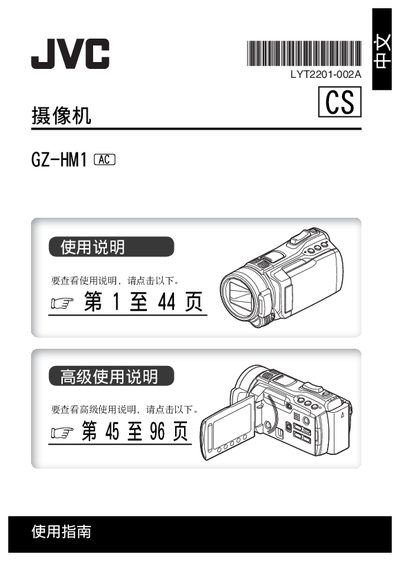
JVC camcorder GZ-HM1AC Manual
The manual begins with safety precautions, including fire and electric‑shock warnings, proper battery handling, and ventilation requirements. It also explains how to install the CR2025 battery and connect the 110‑240 V power adapter.
Subsequent sections cover basic operation such as setting date and time, using the LCD monitor, recording video, playing back files, and navigating the on‑screen menu. The guide also includes information on software licensing and warranty notices. This manual is written in Chinese.
JVC GZ-HM1 specifications
| Image sensor | 10.62-megapixel back-illuminated CMOS (1/2.3 inch) |
|---|---|
| Digital still resolution | 10 megapixels, non-interpolated |
| Sensitivity | ISO 6400 |
| Lens | KONICA MINOLTA HD lens |
| Optical zoom | 10x |
| Dynamic zoom | Up to 16x (15x with Advanced Image Stabilizer on) |
| Video recording | 1920 x 1080 Full HD AVCHD |
| Recording bit rate | 24 Mbps (UXP mode) |
| Output | 1920 x 1080/60p |
| Audio | K2 Technology |
| Image stabilization | Optical Image Stabilizer with Advanced Image Stabilizer |
| Time-Lapse REC interval | 1 to 80 seconds |
| Simultaneous stills | 5.7 megapixels during Full HD video recording |
| Motor-drive shooting | Up to 11 5.7-megapixel stills at 60 fps (30 fps with Advanced Image Stabilizer on) |
| High-speed recording | Ultra-slow motion video |
| Face detection | Up to 16 faces |
All JVC GZ-HM1 documents by type
Day-to-day operation, settings and troubleshooting. Start here if the product is already set up.
Questions answered in these manuals
What sensor does the JVC GZ-HM1 use?
The GZ-HM1 uses a 1/2.3-inch 10.62 megapixel back-illuminated CMOS sensor.
How much zoom does the GZ-HM1 provide?
It provides 10x optical zoom and magnifies up to 16x with Dynamic Zoom, or 15x when Advanced Image Stabilizer is on.
What should I do if the camcorder or power adapter emits smoke or a strange odor?
Immediately turn off the power or unplug the adapter and contact a JVC dealer; do not continue using the device.
How can I set the date and time on the camcorder?
Touch the sensor, select the Clock Settings menu, choose your city, and adjust the date and time as needed.