
Key facts
- Brand
- Hitachi
- Model
- UT32-MH08CB
- Category
- Television
- Documents
- 2
- Languages
- ZH
- Last added
- 2012-03-20
Start here
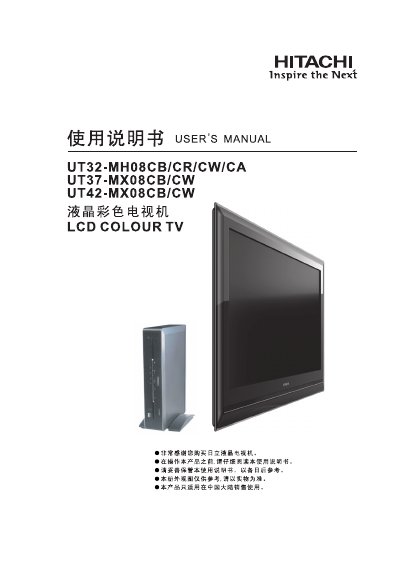
Hitachi UT32-MH08CB/CR/CW/CA LCD TV User Manual
This Hitachi LCD TV user manual covers the UT32-MH08CB/CR/CW/CA series, including safety precautions, installation, connections, remote control operation, and on-screen display menus. It also describes the display unit and media center, picture and sound adjustments, channel editing, photo browsing, and power-saving functions.
The manual includes troubleshooting checklists, signal input information, recommended signal lists, product specifications, and notes on hazardous substance content and optional accessories. This manual is written in Chinese.
Hitachi UT32-MH08CB specifications
| Resolution (32 inch model) | 1366 (horizontal) x 768 (vertical) pixels |
|---|---|
| Resolution (37 and 42 inch models) | 1920 (horizontal) x 1080 (vertical) pixels |
| Processor Type | Improved digital signal processor |
Source: Hitachi UT32-MH08CB/CR/CA, UT37-MX08CB/CW, UT42-MX08CB/CW LCD Colour TV User Manual
All Hitachi UT32-MH08CB documents by type
Day-to-day operation, settings and troubleshooting. Start here if the product is already set up.
Questions answered in these manuals
What should I do if the TV has no image or sound?
If the TV has no image or sound, it is considered a serious fault. You should pull out the power cord immediately and contact your dealer.
From: Hitachi UT32-MH08CB/CR/CA, UT37-MX08CB/CW, UT42-MX08CB/CW LCD Colour TV User Manual
How should I clean the power plug?
Always pull out the power cord first, then clean the plug contacts with a dry cloth to remove dust or metal.
From: Hitachi UT32-MH08CB/CR/CA, UT37-MX08CB/CW, UT42-MX08CB/CW LCD Colour TV User Manual
What resolution does the 32-inch model support?
The 32-inch model supports 1366 horizontal by 768 vertical pixels.
What resolution do the 37-inch and 42-inch models support?
Both the 37-inch and 42-inch models support 1920 horizontal by 1080 vertical pixels.