
Key facts
Start here
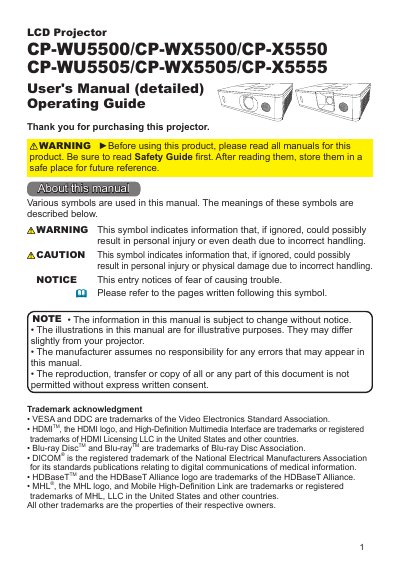
Hitachi CP-WU5500/CP-WX5500/CP-X5550 Series LCD Projector User's Manual
This document serves as the detailed User's Manual and Operating Guide for Hitachi LCD projectors, specifically the CP-WU5500, CP-WX5500, CP-X5550, and their '05 variants. It covers essential topics including package contents, part names, and initial setup procedures such as arrangement, connecting devices, and fastening cables. The guide also details how to use the remote control, power on/off functions, and various operating features like volume adjustment, input selection, and image correction.
Read onlineHitachi CP-X5550 specifications
| COMPUTER IN / MONITOR OUT connector | D-sub 15pin mini shrink jack |
|---|---|
| HDMI connector | Digital audio/video connector |
| HDMI audio | Linear PCM (Sampling rate; 32/44.1/48 kHz) |
| VIDEO input systems | NTSC, PAL, SECAM, PAL-M, PAL-N, NTSC4.43, PAL(60Hz) |
| Composite video signal | Composite video signal, Analog, 1.0+0.1Vp-p, 750 terminator |
| Computer video signal | RGB separate, Analog, 0.7Vp-p, 750 terminated |
| Component video systems | 480i@60, 480p@60, 576i@50, 720p@50/60, 1080i@50/60, 1080p@50/60 |
| Audio input impedance | 47kQ |
| Audio output impedance | 1kOQ |
| CONTROL connector | D-sub 9pin plug |
| USB port | Only for USB wireless adapter |
| REMOTE CONTROL connector | 3.5 stereo mini jack |
| PJLink manufacturer name | HITACHI |
All Hitachi CP-X5550 documents by type
Day-to-day operation, settings and troubleshooting. Start here if the product is already set up.
Questions answered in these manuals
Which signal can be output from MONITOR OUT?
Only the signal input from COMPUTER IN can be output from MONITOR OUT.
What audio format is supported over HDMI?
HDMI supports Linear PCM at sampling rates of 32, 44.1, or 48 kHz.
What is the minimum clearance required between the projector's exhaust vents and walls?
You must secure a clearance of 50cm or greater between the exhaust vents and walls.
From: Hitachi CP-WU5500/CP-WX5500/CP-X5550 Series LCD Projector User's Manual
What is the minimum clearance required between the projector's intake vents and walls?
You must secure a clearance of 30cm or greater between the intake vents and walls.
From: Hitachi CP-WU5500/CP-WX5500/CP-X5550 Series LCD Projector User's Manual