
Wyse 3000 Series Thin Client Wyse 3040 Quick Start Guide

Wyse 3000 Series Thin Client Wyse 3040 Quick Start Guide
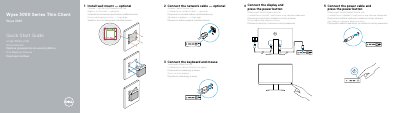

Wyse 3000 Series Thin Client Wyse 3040 Quick Start Guide - cover page
Brand
DELL
Document type
Quick Start Guide
Language
English
Pages
2
File format
PDF
File size
218 KB
Published
22 November, 2023
Updated
22 November, 2023
MD5 checksum
0CC2D3BFB0098ACC86B10FA2F2A3CEE9

About this manual

This document provides a quick start guide for the Dell Wyse 3040 Thin Client. It outlines the steps to install an optional wall mount and connect the device to a network, keyboard, mouse, display, and power source.

What's inside

  • Connect the network cable
  • Connect the keyboard and mouse
  • Connect the display
  • Connect the power cable
  • Install wall mount
  • Features
  • Product support and manuals
  • Regulatory and safety

Specifications

Power adapter input+5V/+12V
DisplayPort2x
USB 2.0 port2x
Network port10/100/1000 Base-T
USB 3.0 port1

Frequently asked questions

What is the Dell Wyse 3040 Thin Client used for?

It is a thin client device designed for network connectivity and display output.

What power input does the Dell Wyse 3040 Thin Client require?

The device requires a +5V/+12V power adapter input.

What network speeds does the Dell Wyse 3040 Thin Client support?

The network port supports speeds of 10/100/1000 Base-T.

Download PDF (218 KB)

More DELL Manuals


View all DELL manuals →