
Key facts
Start here
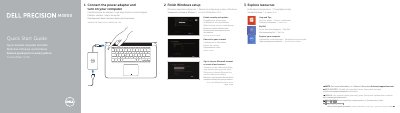
Dell Precision M3800 Quick Start Guide
This quick start guide for the Dell Precision M3800 explains how to connect the power adapter, turn on the computer, and finish Windows setup, including enabling security and updates, signing in to a Microsoft account or creating a local account, and connecting to a network.
The guide also identifies the computer features and ports, including microphones, camera, memory card reader, USB 3.0 and USB 2.0 connectors with PowerShare, Noble security slot, touchpad, HDMI and mini DisplayPort connectors, audio connector, and battery-status controls. It lists regulatory model P31F and input and output power information.
Dell Precision M3800 specifications
| Regulatory model and type | P31F / P31F001 |
|---|---|
| Computer model | Dell Precision M3800 |
| Input voltage | 100 V AC–240 V AC |
| Maximum input current | 2.30 A / 2.50 A |
| Input frequency | 50 Hz–60 Hz |
| Output current | 6.67 A |
| Output voltage | 19.5 V DC |
All Dell Precision M3800 documents by type
The shortest path to a working setup, usually only a few pages.
Disassembly, diagnostics and part numbers, for repair.
Day-to-day operation, settings and troubleshooting. Start here if the product is already set up.
Questions answered in these manuals
How do I start the Dell Precision M3800?
Connect the power adapter and turn on your computer.
What should I do to finish Windows setup?
Enable security and updates, sign in to your Microsoft account or create a local account, and connect to your network.
Where can I find more information about this product?
For more information, see the Owner's Manual at dell.com/support/manuals.
What should I do first after connecting the power adapter?
You should turn on your computer.
What tools are recommended for removing and installing components?
The recommended tools include a small flat-blade screwdriver, #0 and #1 Phillips screwdrivers, a T5 Torx screwdriver, and a small plastic scribe.
How do you turn off the computer before working inside it?
You can turn off the computer by pressing and holding the Power button or by using the charms menu to select Shut down.