
Key facts
Start here
Dell Precision 7920 Tower Quick Start Guide
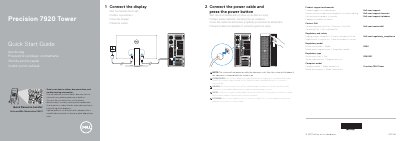
This Dell Precision 7920 Tower Quick Start Guide provides initial setup instructions for the Dell Precision 7920 Tower workstation. It covers connecting the power cable, pressing the power button, and attaching the display.
The guide notes that the system will not power on with the side cover removed and will shut down if the cover is taken off while running. It also lists system features and provides links to Dell support, manuals, and regulatory information.
Dell Precision 7920 Tower specifications
| Regulatory Model | D04X |
|---|---|
| Regulatory Type | D04X001 |
| Computer Model | Precision 7920 Tower |
All Dell Precision 7920 Tower documents by type
The shortest path to a working setup, usually only a few pages.
Day-to-day operation, settings and troubleshooting. Start here if the product is already set up.
Mounting, wiring and first power-up. Read it before the hardware goes in.
Questions answered in these manuals
Will the system start if the side cover is off?
No. The system will not power on while the side cover is off.
What occurs if the side cover is removed during operation?
The system will shut down.
What happens if the side cover is removed while the system is on?
The system will shutdown if the side cover is removed while the system is on.
What ports are available on the Precision 7920 Tower?
Available ports include USB 3.1 Gen 1, USB Type-C with PowerShare, HDMI, Ethernet, PS/2, serial, and SD card slot.
What happens if the side cover is removed while the system is on?
The system will shut down.
Where can I find Dell product support and manuals?
Visit Dell.com/support/manuals.