
Key facts
Start here
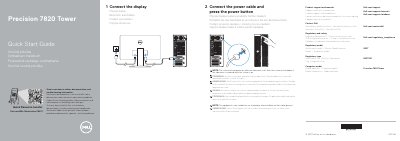
Dell Precision 7820 Tower Quick Start Guide
This document serves as a multilingual quick start guide for the Dell Precision 7820 Tower workstation. It provides essential setup instructions, including connecting the display and power cable, and pressing the power button to turn on the system. A critical safety note warns that the system will not power on if the side cover is removed, and it will shut down if the cover is removed while the system is running.
The guide also includes a detailed list of features and ports available on the workstation. It identifies various connectivity options such as USB 3.1 Gen 1 ports (including Type-C with PowerShare), PS/2 ports for keyboard and mouse, a serial port, and a network port. Additionally, it lists optional components like the 5.25-inch drive bay and discrete graphics card slot, along with security features like the padlock ring and security cable slot.
Dell Precision 7820 Tower specifications
| USB Ports | USB 3.1 Gen 1 |
|---|---|
| USB Type-C | USB 3.1 Gen 1 Type-C |
| Optional Drive Bay | 5.25 inch |
All Dell Precision 7820 Tower documents by type
The shortest path to a working setup, usually only a few pages.
Mounting, wiring and first power-up. Read it before the hardware goes in.
Questions answered in these manuals
What happens if the side cover is removed while the system is on?
The system will shutdown if the side cover is removed while the system is on.
Can the system power on if the side cover is off?
No, the system will not power-on while the side cover is off.
What happens if the side cover is removed while the system is on?
The system will shutdown.
From: Dell Precision 7820 Tower Workstation Quick Start Guide
Will the system power on while the side cover is off?
No, the system will not power on while the side cover is off.
From: Dell Precision 7820 Tower Workstation Quick Start Guide
What happens if the side cover is removed while the system is on?
The system will shut down if the side cover is removed while it is on.
From: Dell Precision 7820 Tower Workstation Quick Start Guide
What safety step is required before opening the computer cover?
You must disconnect all power sources before opening the computer cover or panels.
From: Dell Precision 7820 Tower Rack Rails Installation Guide