
Key facts
- Brand
- DELL
- Model
- W-IAP205H
- Category
- Wireless connection
- Documents
- 3
- Languages
- PT · EN · KO
- Last added
- 2023-11-25
Start here
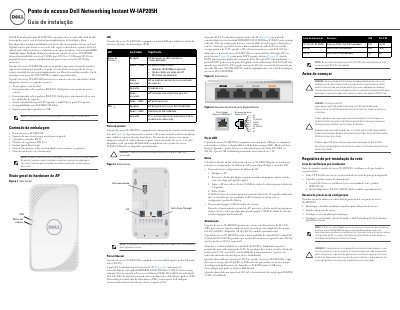
Dell Networking Instant W-IAP205H Access Point Installation Guide
This guide describes the installation and hardware of the Dell Networking Instant W-IAP205H dual-radio access point for hospitality and branch deployments. It covers package contents, the front and rear hardware views, LED behavior, the console port, Ethernet ports E0-E3, the USB port, the reset button and power options.
The document also lists pre-installation network requirements and the setup process order. It notes that the access point requires Dell Instant 4.2 or later and provides details on PoE input and output, the optional 48 V DC adapter, and LED status indications. This manual is written in Portuguese.
Dell W-IAP205H specifications
| Wireless operation | Dual radio: 2.4 GHz for 802.11n and 5 GHz for 802.11n/ac |
|---|---|
| Supported standards | IEEE 802.11a/b/g/n/ac |
| Ethernet ports | Four active Ethernet ports (E0-E3) |
| PoE input | PoE input on port E0 only |
| PoE output | PoE output on port E3 only |
| Maximum PoE output power | 10 W |
| USB port output | Up to 5 W |
| DC power connector | 48 V DC |
| Minimum software | Dell Instant 4.2 or later |
Source: Dell Networking Instant W-IAP205H Access Point Installation Guide
All Dell W-IAP205H documents by type
Mounting, wiring and first power-up. Read it before the hardware goes in.
Questions answered in these manuals
What power sources does the W-IAP205H support?
It accepts PoE on port E0 through an IEEE 802.3af/at source, or can be powered by an optional 48 V DC AC/DC adapter such as the AP-AC-48V36 sold separately.
From: Dell Networking Instant W-IAP205H Access Point Installation Guide
How much power can port E3 supply?
Port E3 can supply a maximum of 10 W. If a device tries to exceed the 10 W limit, the port is temporarily disabled and is re-enabled automatically.
From: Dell Networking Instant W-IAP205H Access Point Installation Guide
What power sources does the W-IAP205H support?
The access point supports PoE-in on the E0 port (802.3af or 802.3at), a 48VDC power adapter (AP-AC-48V36 sold separately), and provides PoE-out on the E3 port (up to 10W when powered by 802.3at).
From: Dell W-IAP205H Instant Access Point Installation Guide
What power sources can the W-IAP205H access point use?
The device supports IEEE 802.3af-compliant Power over Ethernet, IEEE 802.3at Power over Ethernet, or a Dell AP AC-to-DC adapter kit.
From: Dell W-IAP205H Instant Access Point Installation Guide
What are the power requirements for the W-IAP205H?
The device supports PoE-in via the E0 port (802.3at or 802.3af) or a separate AC-DC adapter (AP-AC-48V36).
From: Dell W-IAP205H Instant Access Point Installation Guide
Can the W-IAP205H supply power to other devices?
Yes, the E3 port supports PoE-out, providing up to 10W of power when the AP is in 802.3at mode.
From: Dell W-IAP205H Instant Access Point Installation Guide