
Dell OptiPlex USFF 780 AIO Stand Installation Guide

The OptiPlex TM USFF 780 AIO Stand comes with a manual that contains setup instructions.
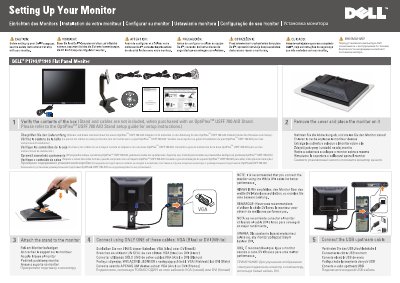

Dell OptiPlex USFF 780 AIO Stand Installation Guide - cover page
Brand
DELL
Category
Desktops
Document type
Installation Guide
Language
English
Pages
2
File format
PDF
File size
2.6 MB
Published
25 November, 2023
Updated
25 November, 2023
MD5 checksum
428F5E477E672F305B1549861DF44257

About this manual

This guide provides instructions for installing the Dell OptiPlex USFF 780 AIO Stand. It notes that the stand and cables are not included when purchased separately and directs users to the specific stand setup guide for detailed assembly steps. The document also includes a diagram labeling key monitor features such as input signal selection, screen menu buttons, and power controls.

What's inside

  • Stand and cables
  • Setup instructions
  • Monitor installation
  • Safety instructions
  • Power connection
  • Monitor adjustment
  • Monitor features
  • Audio system mounting

Frequently asked questions

Which cables can be used to connect the monitor?

Use only one of these cables: VGA (blue) or DVI (white).

Does the rotation apply to the AIO stand?

No. The rotation is not applicable for the AIO stand.

Download PDF (2.6 MB)

More DELL Manuals


View all DELL manuals →