
The Dell OptiPlex 3020M/9020M Quick Start Guide describes how to connect the keyboard, mouse, network cable, display, and power cord to the computer.
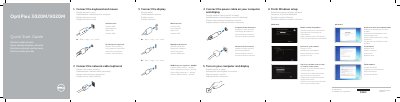
This guide shows how to connect the keyboard, mouse, network cable, display, and power, then turn on the computer and finish Windows setup. It also identifies front and rear connectors and features for the OptiPlex 3020M and 9020M, including optional Wi-Fi, serial, PS2, and HDMI connectors.
Regulatory model and type information is listed for each model, along with Dell support, compliance, and resource links.
| Regulatory model (OptiPlex 3020M) | D08U |
|---|---|
| Regulatory model (OptiPlex 9020M) | D09U |
| Regulatory type (OptiPlex 3020M) | D08U001 |
| Regulatory type (OptiPlex 9020M) | D09U001 |
| Optional HDMI connector | 9020M only |
The OptiPlex 9020M has an optional HDMI connector.
Dell support and manuals are available at dell.com/support.
The OptiPlex 3020M regulatory model is D08U and the OptiPlex 9020M regulatory model is D09U.