
Key facts
Start here
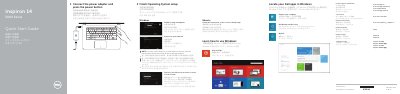
Dell Inspiron 14 5000 Series Laptop Quick Start Guide
This is a two-page Dell quick start guide printed for the Inspiron 14 5000 Series computer. The listed computer models are Inspiron 14-5458 and Inspiron 14-5451, with regulatory model P64G. The guide walks through connecting the power adapter and pressing the power button, finishing the operating system setup, enabling security and updates, connecting to a network, and signing in to a Microsoft account or creating a local account.
The second page shows the features and shortcut keys. It labels the microphones, camera and camera-status light, power-adapter port, network port, HDMI port, USB 3.0 port, media-card reader, USB 2.0 ports, optical drive, security-cable slot, power button, battery and service tag label. It also lists shortcut key functions such as muting audio, adjusting volume, changing brightness, turning wireless on or off and putting the computer to sleep, and points to dell.com/support and dell.com/support/manuals for specifications and support. This manual is written in Chinese.
Dell Inspiron 14 5000 Series (Inspiron 14-5458 specifications
| Computer models | Inspiron 14-5458; Inspiron 14-5451 |
|---|---|
| USB ports | USB 3.0 port and USB 2.0 ports (2) |
| Video port | HDMI port |
| Media-card reader | Media-card reader |
| Optical drive | Optical drive |
| Security | Security-cable slot |
Source: Dell Inspiron 14 5000 Series Laptop Quick Start Guide
All Dell Inspiron 14 5000 Series (Inspiron 14-5458 documents by type
The shortest path to a working setup, usually only a few pages.
Disassembly, diagnostics and part numbers, for repair.
Questions answered in these manuals
How do I turn on the computer for the first time?
Connect the power adapter and press the power button.
What should I enter when connecting to a secured wireless network?
When prompted, enter the password for the wireless network access.
How do I turn on the computer for the first time?
Connect the power adapter and press the power button.
What do I need to enter when connecting to a secured wireless network?
When prompted, enter the password for the wireless network access.
What should I do before working inside the computer?
Save and close all open files, exit open programs, shut down the computer, disconnect power and cables, disconnect peripherals, and remove any media or optical discs.
From: Dell Inspiron 14 5000 Series (Inspiron 14-5458) Service Manual
How do I update the BIOS?
Turn on the computer, visit dell.com/support, enter the Service Tag, download the latest BIOS under Drivers & Downloads, then run the downloaded BIOS update file.
From: Dell Inspiron 14 5000 Series (Inspiron 14-5458) Service Manual