
Dell OptiPlex 3020M/9020M Quick Start Guide
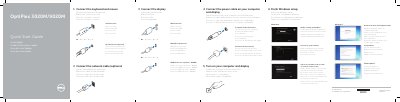
This guide provides quick start instructions for the Dell OptiPlex 3020M and OptiPlex 9020M desktop computers. It covers connecting essential peripherals such as keyboards, mice, displays, and network cables, as well as connecting power cables to both the computer and the display.
| Regulatory Model (3020M) | D08U |
|---|---|
| Regulatory Model (9020M) | D09U |
| Input Voltage | 19.5 VDC |
| Input Current (Max) | 3.34 A |
This guide covers the OptiPlex 3020M and OptiPlex 9020M models.
No, the HDMI connector is optional and only included on the 9020M model.
Regulatory and safety information is available at dell.com/regulatory_compliance.