
Key facts
- Brand
- DELL
- Model
- S55
- Category
- Network Switches
- Documents
- 13
- Languages
- EN · ID · JA · ZH · ES
- Last added
- 2023-11-26
Start here
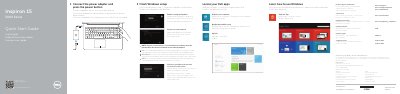
Dell Inspiron 15 5000 Series (5542/5543) Laptop Quick Start Guide
This quick start guide for the Dell Inspiron 15 5000 Series (computer models Inspiron 5542 and Inspiron 5543, regulatory model P39F) is printed in English, Dutch, French and Spanish. It walks new users through connecting the power adapter, finishing Windows setup, locating Dell apps such as My Dell and Dell Backup and Recovery, connecting to a network, and registering the computer.
The second page identifies the laptop's 18 external features, including the camera, USB 2.0 and USB 3.0 ports, HDMI port, media-card reader and headset port, and lists the keyboard shortcut keys for audio, display, brightness and wireless functions. It also points to dell.com/support for product support, manuals and specifications.
Dell S55 specifications
| Z9000 capacity and ports | 2.5 Tbps; 32 ports 40 GbE QSFP+ or 128 ports 10 GbE SFP+ |
|---|---|
| S4810 capacity and ports | 1.28 Tbps; 48 ports 10 GbE and four 40 GbE QSFP+ uplinks or 64 ports 10 GbE SFP+ |
| S60 capacity and ports | 176 Gbps; 44 ports Base-T with four SFP uplinks or four SFP+ uplinks |
| S55 capacity and ports | 192 Gbps; 44 ports Base-T with four SFP uplinks or four SFP+ uplinks |
| 8100 Series capacity | 640 Gbps / 1.2 Tbps |
| E1200i capacity and ports | 3.5 Tbps, 560 ports 10 GbE (140*), 1,260 ports GbE |
| W-6000 chassis maximum users | 32,768 users (8,192 per module) |
| W-AP135 speed | 900 Mbps, dual radio, dual band (450 Mbps per radio) |
Source: Dell Networking Z9000 S4810 S60 S55 S25/50 8100 8000 7000 Series Switch Product Portfolio Guide
All Dell S55 documents by type
The shortest path to a working setup, usually only a few pages.
Disassembly, diagnostics and part numbers, for repair.
- Dell Inspiron 15 5000 Series 5552 Laptop Service Manual 102 p
- Dell Inspiron 15 5000 Series (5555) Service Manual 100 p
- Dell Inspiron 15 5000 Series 5558 Service Manual 103 p
- Dell Inspiron 15 5000 Series (5547) Owner's Manual 94 p
- Dell Inspiron 15 5000 Series 5559 Service Manual 103 p
- Dell Inspiron 15 5000 Series 5547 Laptop Service Manual 88 p
Mounting, wiring and first power-up. Read it before the hardware goes in.
Day-to-day operation, settings and troubleshooting. Start here if the product is already set up.
Questions answered in these manuals
What is the capacity of the Dell Z9000 switch?
The Z9000 delivers 2.5 Tbps and offers 32 ports of 40 GbE QSFP+ or 128 ports of 10 GbE SFP+.
From: Dell Networking Z9000 S4810 S60 S55 S25/50 8100 8000 7000 Series Switch Product Portfolio Guide
Do Instant APs require a separate controller?
No. Instant APs have a built-in virtual controller and require no additional software.
From: Dell Networking Z9000 S4810 S60 S55 S25/50 8100 8000 7000 Series Switch Product Portfolio Guide
What do I do when connecting to a secured wireless network?
Enter the password for the wireless network access when you are prompted during connection.
From: Dell Inspiron 15 5000 Series (5542/5543) Laptop Quick Start Guide
Where can I find more information about the shortcut keys and specifications?
See the Specifications section at dell.com/support, as noted at the end of the shortcut keys list.
From: Dell Inspiron 15 5000 Series (5542/5543) Laptop Quick Start Guide
Where can I find product support and manuals?
Product support and manuals are available through Dell's support pages, including dell.com/support and dell.com/support/manuals.
From: Dell Precision Mobile Workstation 5000 Series (5510) Quick Start Guide
What computer model does this guide cover?
The computer model listed in the guide is Dell Precision 5510.
From: Dell Precision Mobile Workstation 5000 Series (5510) Quick Start Guide