
Dell OptiPlex 3020M/9020M Quick Start Guide

The Dell OptiPlex 3020M/9020M Quick Start Guide describes how to connect the keyboard, mouse, network cable, display, and power cable to the computer.
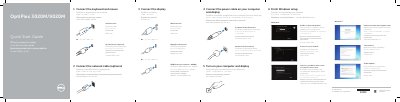

Dell OptiPlex 3020M/9020M Quick Start Guide - cover page
Brand
DELL
Category
Desktops
Document type
Quick Start Guide
Language
English
Pages
2
File format
PDF
File size
2.9 MB
Published
24 November, 2023
Updated
24 November, 2023
MD5 checksum
7217EFC793A30C80142705A835EEAE86

About this manual

This Dell Quick Start Guide provides setup instructions for the OptiPlex 3020M and OptiPlex 9020M computers. It covers connecting the keyboard, mouse, network cable, display, and power cable, then turning on the system.

The guide also lists front and rear features and connectors, including USB, VGA, DisplayPort, and optional HDMI, and gives regulatory model numbers and support links for Dell.

What's inside

  • Connect the keyboard and mouse
  • Connect the network cable (optional)
  • Connect the display
  • Connect the power cable on your computer and display
  • Turn on your computer and display
  • Finish Windows setup
  • Enable security and updates
  • Features
  • Product support and manuals
  • Regulatory and safety

Specifications

Regulatory model (OptiPlex 3020M)D08U
Regulatory model (OptiPlex 9020M)D09U

Frequently asked questions

Is HDMI available on both models?

HDMI is optional on the 9020M only.

What are the regulatory models for the OptiPlex 3020M and 9020M?

The OptiPlex 3020M regulatory model is D08U and the 9020M is D09U.

Where can I find product support and manuals?

Visit dell.com/support for Dell product support and manuals.

Download PDF (2.9 MB)

More DELL Manuals


View all DELL manuals →