
The Dell OptiPlex 3020M/9020M Quick Start Guide provides instructions on how to connect the keyboard and mouse, network cable (optional), display, and power cord.
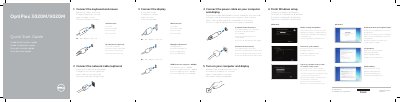
This guide helps you set up your Dell OptiPlex 3020M or 9020M desktop. Connect peripherals, power, and display, then turn on the computer. Follow Windows setup steps to configure your system. The guide includes features like USB ports, network connectors, and security slots.
The guide covers both models, showing differences like HDMI and DisplayPort options. It also includes regulatory info and support links for troubleshooting and manuals.
Connect the keyboard and mouse. They can use the USB connector or the optional PS/2 connector.
The HDMI connector is optional on the 9020M.
Finish Windows setup.
It is also the power light.