
Dell OptiPlex 3020M/9020M Quick Start Guide

The Dell OptiPlex 3020M/9020M Quick Start Guide provides instructions on how to connect the keyboard, mouse, display, and power cord to the computer.
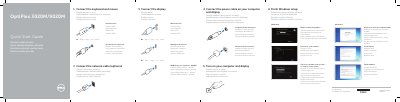

Dell OptiPlex 3020M/9020M Quick Start Guide - cover page
Brand
DELL
Category
Desktops
Document type
Quick Start Guide
Language
English
Pages
2
File format
PDF
File size
2.8 MB
Published
25 November, 2023
Updated
25 November, 2023
MD5 checksum
FDE215ACEDF287E06DDDA82BBDD59F28

About this manual

This document provides instructions for setting up the Dell OptiPlex 3020M and 9020M desktop computers. It details the steps to connect essential peripherals including the keyboard, mouse, network cable, and display using various connectors such as USB, PS/2, VGA, DisplayPort, and HDMI. It also covers connecting the power cables for both the computer and the display.

What's inside

  • Connect the keyboard and mouse
  • Connect the network cable
  • Connect the display
  • Connect the power cable
  • Turn on your computer and display
  • Finish Windows setup
  • Enable security and updates
  • Connect to your network
  • Sign in to your Microsoft account
  • Create user name and computer name

Frequently asked questions

Which connectors are required to connect the keyboard and mouse?

You can use either a USB connector or an optional PS/2 connector.

Which display connectors are available for the OptiPlex 9020M?

The available options include VGA, DisplayPort, or an optional HDMI connector.

What is the regulatory model number for the OptiPlex 3020M?

The regulatory model number is D08U.

Download PDF (2.8 MB)

More DELL Manuals


View all DELL manuals →