
The Dell OptiPlex 3020M/9020M Quick Start Guide provides instructions on how to connect the keyboard, mouse, network cable, display, and power cord to the computer.
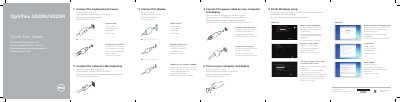
This document serves as a quick start guide for the Dell OptiPlex 3020M and OptiPlex 9020M desktop computers. It provides step-by-step instructions in multiple languages for connecting peripherals such as keyboards, mice, network cables, and displays, as well as powering on the system. The guide also covers the initial setup of the Windows operating system, including enabling security, updates, and creating user accounts.
| Regulatory model (3020M) | D08U |
|---|---|
| Regulatory model (9020M) | D09U |
| Regulatory type (3020M) | D08U001 |
| Regulatory type (9020M) | D09U001 |